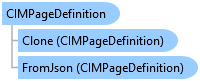
CIMPageDefinition Class
In This Topic
Represents page definition.
Object Model
Syntax
Public Class CIMPageDefinition
   Inherits CIMObject
   Implements System.ComponentModel.INotifyPropertyChanged, System.Xml.Serialization.IXmlSerializable
public class CIMPageDefinition : CIMObject, System.ComponentModel.INotifyPropertyChanged, System.Xml.Serialization.IXmlSerializable
Example
Create a new layout using a modified CIM and open it
{
  //Create a new layout using a modified CIM and open it.
  //The CIM exposes additional members that may not be
  //available through the managed API.
  //In this example, optional guides are added.
  //Create a new CIMLayout on the worker thread

  //Note: Needs QueuedTask to run
  //Set up a CIM page
  CIMPage newPage = new CIMPage
  {
    //required parameters
    Width = 8.5,
    Height = 11,
    Units = LinearUnit.Inches,

    //optional rulers
    ShowRulers = true,
    SmallestRulerDivision = 0.5,

    //optional guides
    ShowGuides = true
  };
  CIMGuide guide1 = new CIMGuide
  {
    Position = 1,
    Orientation = Orientation.Vertical
  };
  CIMGuide guide2 = new CIMGuide
  {
    Position = 6.5,
    Orientation = Orientation.Vertical
  };
  CIMGuide guide3 = new CIMGuide
  {
    Position = 1,
    Orientation = Orientation.Horizontal
  };
  CIMGuide guide4 = new CIMGuide
  {
    Position = 10,
    Orientation = Orientation.Horizontal
  };

  List<CIMGuide> guideList = new List<CIMGuide>
  {
    guide1,
    guide2,
    guide3,
    guide4
  };
  newPage.Guides = guideList.ToArray();

  //Construct the new layout using the customized cim definitions
  var layout_local = LayoutFactory.Instance.CreateLayout(newPage);
  layout_local.SetName("New 8.5x11 Layout");

  //Open new layout on the GUI thread
  await ProApp.Panes.CreateLayoutPaneAsync(layout_local);

}
Change the layout page size
{
  //Change the layout page size.
  //Reference the layout project item
  LayoutProjectItem lytItem = Project.Current.GetItems<LayoutProjectItem>()
                         .FirstOrDefault(item => item.Name.Equals("MyLayoutItem"));
  if (layoutItem != null)
  {
    //Note: Needs QueuedTask to run
    //Get the layout
    Layout lyt = lytItem.GetLayout();
    if (lyt != null)
    {
      //Change properties
      CIMPage page = lyt.GetPage();
      page.Width = 8.5;
      page.Height = 11;

      //Apply the changes to the layout
      lyt.SetPage(page);
    }
  }
}
Inheritance Hierarchy
System.Object
ArcGIS.Core.CIM.CIMObject
ArcGIS.Core.CIM.CIMPageDefinition
Requirements
Target Platforms: Windows 11 Home, Pro, Enterprise (64 bit)
ArcGIS Pro version: 3.0 or higher.
See Also