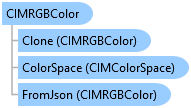
CIMRGBColor Class
In This Topic
Represents a color in the RGB color model.
Object Model
Syntax
Public Class CIMRGBColor
   Inherits CIMColor
   Implements System.ComponentModel.INotifyPropertyChanged, System.IEquatable(Of CIMColor), System.Xml.Serialization.IXmlSerializable
public class CIMRGBColor : CIMColor, System.ComponentModel.INotifyPropertyChanged, System.IEquatable<CIMColor>, System.Xml.Serialization.IXmlSerializable
Remarks
A color in the RGB (red, green, blue) color model. RGB is an additive, or light-emissive model based on red, green, and blue values.
Example
Presentation page design
{
  // create customized margin and color
  CIMMargin pMargin = new CIMMargin() { Left = 0.2, Right = 0.3, Top = 0.15, Bottom = 0.25 };
  CIMRGBColor pColor = new CIMRGBColor() { R = 255, G = 255, B = 0, Alpha = 50 };

  //Reference a page and its transition
  var pageReference = activePresentationView.Presentation.GetPage(0);
  CIMPresentationTransition transition = page.Transition;

  // update the transition style
  transition.TransitionType = PresentationTransitionType.Swipe;
  transition.Duration = 2.0;
  transition.SwipeDirection = SwipeDirection.Top;

  //Must be on the QueuedTask

  //Set the new margin, new background color and new transition effect
  page.SetMargin(pMargin);
  page.SetBackgroundColor(pColor);
  page.SetTransition(transition);
}
Inheritance Hierarchy
System.Object
ArcGIS.Core.CIM.CIMObject
ArcGIS.Core.CIM.CIMColor
ArcGIS.Core.CIM.CIMRGBColor
Requirements
Target Platforms: Windows 11 Home, Pro, Enterprise (64 bit)
ArcGIS Pro version: 3.0 or higher.
See Also