/// <summary>
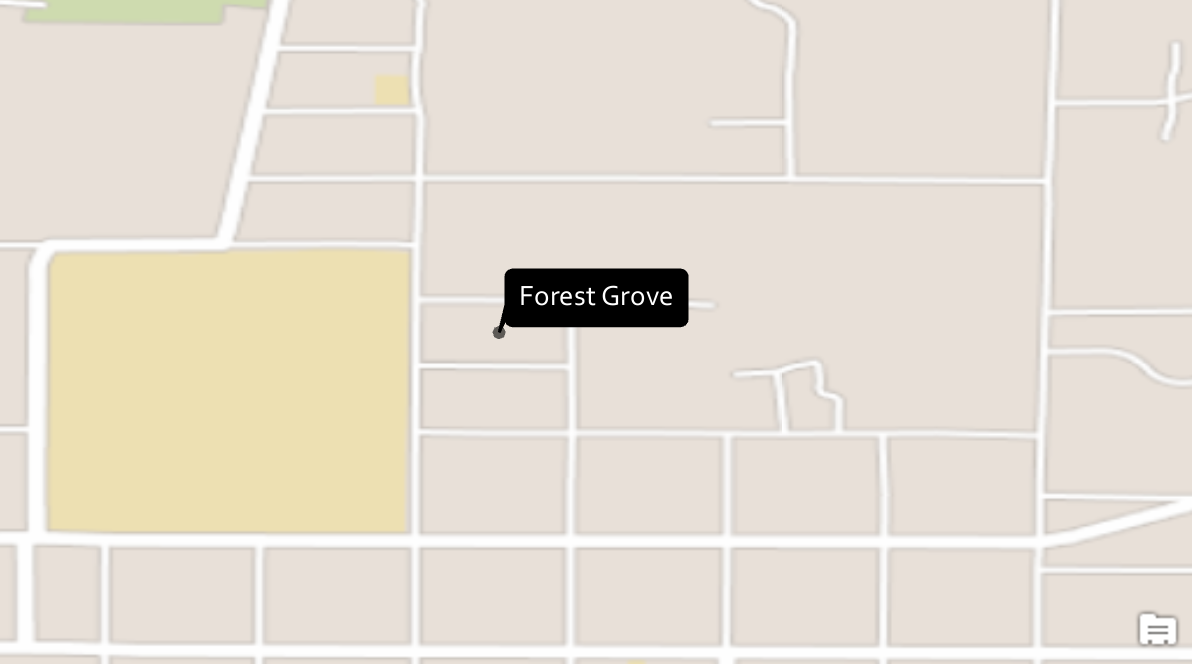
/// Creates a black banner balloon callout text symbol. The [CIMBalloonCallout](https://pro.arcgis.com/en/pro-app/sdk/api-reference/#topic487.html) created is a rectangular polygon with rounded corners.
/// 
/// </summary>
{
//create a text symbol
//Note: Run this code inside a QueuedTask
var textSymbolBalloonCallout = SymbolFactory.Instance.ConstructTextSymbol(ColorFactory.Instance.WhiteRGB, 11, "Corbel", "Regular");
//A balloon callout
var balloonCallout = new CIMBalloonCallout();
//set the callout's style
balloonCallout.BalloonStyle = BalloonCalloutStyle.RoundedRectangle;
//Create a solid fill polygon symbol for the callout.
var polySymbol = SymbolFactory.Instance.ConstructPolygonSymbol(ColorFactory.Instance.BlackRGB, SimpleFillStyle.Solid);
//Set the callout's background to be the black polygon symbol
balloonCallout.BackgroundSymbol = polySymbol;
//margin inside the callout to place the text
balloonCallout.Margin = new CIMTextMargin
{
Left = 5,
Right = 5,
Bottom = 5,
Top = 5
};
//assign the callout to the text symbol's callout property
textSymbolBalloonCallout.Callout = balloonCallout;
//Refer to the snippet "How to apply a Text Symbol to labels of a layer" below to see how to apply this text symbol to a label class
}