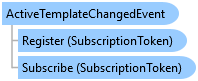
ActiveTemplateChangedEvent Class
In This Topic
Occurs when the active template is changed.
Object Model
Syntax
Public NotInheritable Class ActiveTemplateChangedEvent
   Inherits ArcGIS.Core.Events.CompositePresentationEvent(Of ActiveTemplateChangedEventArgs)
public sealed class ActiveTemplateChangedEvent : ArcGIS.Core.Events.CompositePresentationEvent<ActiveTemplateChangedEventArgs>
Remarks
You can Subscribe to listen for the ActiveTemplateChangedEvent and specify a delegate that will be executed upon receiving the event. To stop listening, you can Unsubscribe.
Example
Active Template Changed
// Subscribes to the active template changed event and handles changes to the editing template.
ArcGIS.Desktop.Editing.Events.ActiveTemplateChangedEvent.Subscribe(async activeTemplateChangedEventArgs
  =>
{
  // return if incoming template is null
  if (activeTemplateChangedEventArgs.IncomingTemplate == null)
    return;

  // Activate two-point line tool for Freeway template in the Layers map
  if (activeTemplateChangedEventArgs.IncomingTemplate.Name == "Freeway" && activeTemplateChangedEventArgs.IncomingMapView.Map.Name == "Layers")
    await activeTemplateChangedEventArgs.IncomingTemplate.ActivateToolAsync("esri_editing_SketchTwoPointLineTool");
});
Inheritance Hierarchy
System.Object
ArcGIS.Core.Events.EventBase
ArcGIS.Core.Events.CompositePresentationEvent<TPayload>
ArcGIS.Desktop.Editing.Events.ActiveTemplateChangedEvent
Requirements
Target Platforms: Windows 11 Home, Pro, Enterprise (64 bit)
ArcGIS Pro version: 3.0 or higher.
See Also