Polygon Class
In This Topic
A class representing a polygon.
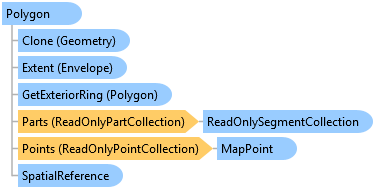
Object Model
Syntax
Remarks
A polygon is defined by a collection of rings. Each ring is a collection of contiguous segments such that the start point and the end point of each Segment are the same (that is it is a closed ring). If a polygon has more than one ring, the rings may be separate from one another or they may nest inside one another, but they should not overlap. Access the rings of a polygon using the Multipart.Parts method.
Note: For a polygon to be topologically correct, exterior rings should be clockwise and interior rings should be counterclockwise. If there is ever a doubt about the topological correctness of a polygon, call the GeometryEngine.SimplifyAsFeature method to correct any issues.
The boundary of a polygon is the collection of rings by which the polygon is defined. The boundary contains one or more outer rings and zero or more inner rings. An outer ring is oriented clockwise while an inner ring is oriented counter-clockwise. Imagine walking clockwise along an outer ring. The area to your immediate right is the interior of the polygon and to your left is the exterior. Similarly, if you were to walk counter-clockwise along an inner ring, the area to your immediate right is the interior of the polygon and to your left is the exterior.
A Polygon is based upon the parent Geometry class. The Geometry class is immutable which means that you can not change its shape once it is created. If you need to modify a Polygon once it has been created, use the PolygonBuilderEx class instead. The PolygonBuilderEx.ToGeometry method will provide you with the Polygon object.
Example
Get the outermost rings of a polygon
{
  List<Polygon> internalRings = new List<Polygon>();

  // explode the parts of the polygon into a list of individual geometries
  // see the "Get the individual parts of a multipart feature"
  // snippet for MultipartToSinglePart
  var parts = MultipartToSinglePart(polygon); //any polygon

  // get an enumeration of clockwise geometries (area > 0) ordered by the area
  var clockwiseParts = parts.Where(geom => ((Polygon)geom).Area > 0)
                        .OrderByDescending(geom => ((Polygon)geom).Area);

  // for each of the exterior rings
  foreach (var part in clockwiseParts)
  {
    // add the first (the largest) ring into the internal collection
    if (internalRings.Count == 0)
      internalRings.Add(part as Polygon);

    // use flag to indicate if current part is within the already selection polygons
    bool isWithin = false;

    foreach (var item in internalRings)
    {
      if (GeometryEngine.Instance.Within(part, item))
        isWithin = true;
    }

    // if the current polygon is not within any polygon of the internal collection
    // then it is disjoint and needs to be added to
    if (isWithin == false)
      internalRings.Add(part as Polygon);
  }

  PolygonBuilderEx outerRings = new PolygonBuilderEx();
  // now assemble a new polygon geometry based on the internal polygon collection
  foreach (var ring in internalRings)
  {
    outerRings.AddParts(ring.Parts);
  }

  // the final geometry of the outer rings
  var outerRingsResult = outerRings.ToGeometry();
}
Retrieve Geometry from Geodatabase
{
  // methods need to run on the MCT
  ArcGIS.Desktop.Framework.Threading.Tasks.QueuedTask.Run(() =>
  {
    try
    {
      // open a gdb
      using (ArcGIS.Core.Data.Geodatabase gdb =
                new ArcGIS.Core.Data.Geodatabase(
                    new FileGeodatabaseConnectionPath(new Uri(@"c:\Temp\MyDatabase.gdb"))))
      {
        //Open a featureClass
        using (ArcGIS.Core.Data.FeatureClass featureClass =
                       gdb.OpenDataset<ArcGIS.Core.Data.FeatureClass>("Polygon"))
        {

          ArcGIS.Core.Data.QueryFilter filter =
                     new ArcGIS.Core.Data.QueryFilter()
                     {
                       WhereClause = "OBJECTID = 6"
                     };

          // get the row
          using (ArcGIS.Core.Data.RowCursor rowCursor =
                                 featureClass.Search(filter, false))
          {
            while (rowCursor.MoveNext())
            {
              using (var row = rowCursor.Current)
              {
                long oid = row.GetObjectID();

                // get the shape from the row
                ArcGIS.Core.Data.Feature feature = row as ArcGIS.Core.Data.Feature;
                Polygon polygon = feature.GetShape() as Polygon;

                // do something here
              }
            }
          }
        }
      }
    }
    catch (Exception ex)
    {
      // error - handle appropriately
    }
  });
}
Inheritance Hierarchy
System.Object
ArcGIS.Core.Geometry.Geometry
ArcGIS.Core.Geometry.Multipart
ArcGIS.Core.Geometry.Polygon
Requirements
Target Platforms: Windows 11 Home, Pro, Enterprise (64 bit)
ArcGIS Pro version: 3.0 or higher.
See Also