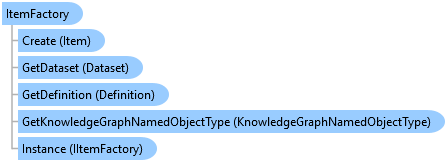
ItemFactory Class
In This Topic
Creates items that can be added or imported to the project
Object Model
Syntax
Public Class ItemFactory
   Implements IItemFactory
public class ItemFactory : IItemFactory
Example
Importing Maps To Project
{
  // Import a mxd
  Item mxdToImport = ItemFactory.Instance.Create(@"C:\Projects\RegionalSurvey\LatestResults.mxd");
  // Note: Needs QueuedTask to run
  var addedMxd = Project.Current.AddItem(mxdToImport as IProjectItem);

  // Add map package
  Item mapPackageToAdd = ItemFactory.Instance.Create(@"c:\Data\Map.mpkx");
  // Note: Needs QueuedTask to run
  var addedMapPackage = Project.Current.AddItem(mapPackageToAdd as IProjectItem);

  // Add an exported Pro map
  Item proMapToAdd = ItemFactory.Instance.Create(@"C:\ExportedMaps\Election\Districts.mapx");
  // Note: Needs QueuedTask to run
  var addedMapProjectItem = Project.Current.AddItem(proMapToAdd as IProjectItem);
}
Add a folder connection item to the current project
{
  //Adding a folder connection

  //Create the folder connection project item
  var item = ItemFactory.Instance.Create(folderPath) as IProjectItem;

  // Note: Needs QueuedTask to run
  var folder = Project.Current.AddItem(item) ? item as FolderConnectionProjectItem : null;
}
Add a geodatabase item to the current project
{
  //Adding a Geodatabase:
  //Create the File GDB project item
  // Note: Needs QueuedTask to run
  var item = ItemFactory.Instance.Create(gdbPath) as IProjectItem;
  var newlyAddedGDB = Project.Current.AddItem(item) ? item as GDBProjectItem : null;
}
Create an IProjectItem from a layout template pagx file and add it to the project
{
  var templateFileName = "Layout.pagx";
  // Get layout Template Path from the project's home folder and combine it with a file name
  var projectPath = CoreModule.CurrentProject.HomeFolderPath;
  var layoutTemplateFilePath = System.IO.Path.Combine(projectPath, templateFileName);
  // Create a new layout project item with the layout file path
  // Create an IProjectItem using a layout template pagx file
  IProjectItem pagx = ItemFactory.Instance.Create(layoutTemplateFilePath) as IProjectItem;
  // Add the IProjectItem to the current project
  //Note: Needs QueuedTask to run
  Project.Current.AddItem(pagx);
}
Import a pagx into a project
{
  //Create a layout project item from importing a pagx file
  //Note: Needs QueuedTask to run
  IProjectItem pagx = ItemFactory.Instance.Create(
                            @"C:\Temp\Layout.pagx") as IProjectItem;
  Project.Current.AddItem(pagx);
}
EsriHttpClient: Upload CSV file to ArcGIS Online
{
  // Create the item to be uploaded, based on a local file
  var itemToUpload = ItemFactory.Instance.Create(@"C:\Data\AddToMapCustomItem\AlaskaCitiesXY.csv");
  // Define the tags for the item
  string[] tags = new string[] { "ArcGIS Pro", "SDK", "Internal Demo" };
  // Create the upload definition for the above item
  UploadDefinition uploadDefinition = new UploadDefinition(
    ArcGISPortalManager.Current.GetActivePortal().PortalUri.ToString(),
    itemToUpload,
    tags
    );
  // Upload the item to the Portal
  EsriHttpClient httpClient = new EsriHttpClient();
  var result = httpClient.Upload(uploadDefinition);

  // Manage the result of the operation appropriately
  if (result.Item1 == false)
    return;
}
Import a report file
{
  var reportFilePath = @"c:\temp\Report.rptx";
  //Note: Call within QueuedTask.Run()
  Item reportToImport = ItemFactory.Instance.Create(reportFilePath);
  Project.Current.AddItem(reportToImport as IProjectItem);
}
Inheritance Hierarchy
System.Object
ArcGIS.Desktop.Core.ItemFactory
Requirements
Target Platforms: Windows 11 Home, Pro, Enterprise (64 bit)
ArcGIS Pro version: 3.0 or higher.
See Also