Enrich Layer (Business Analyst Tools)
Summary
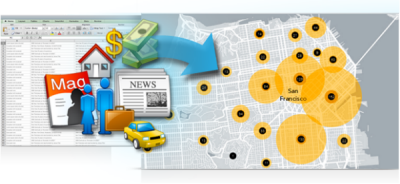
Enriches data by adding demographic and landscape facts about the people and places that surround or are inside data locations.
The output is a duplicate of the input with additional attribute fields. This tool requires an ArcGIS Online organizational account or a locally stored or installed dataset.
Note:
This tool uses detailed aggregation and apportionment settings to summarize data.
The Apportion Polygon tool is similar to this tool. However, Apportion Polygon uses user-specified apportionment. This tool uses U.S. Census Block points or global settlement points for apportionment. For more information, see Data apportionment.
Illustration
Usage
The demographic and landscape information available with this tool can come from ArcGIS Online or a locally stored dataset. This tool will consume credits if ArcGIS Online is set for the Data Source environment.
This tool supports any Business Analyst data variable and statistical data collections (SDCX) as enrichment variables. For more information about SDCX layers, see Create Business Analyst custom data.
Input point features must have an associated boundary polygon to enrich.
When selecting a point layer for the input feature, travel direction is set toward the input point.
The output is a copy of all features and attributes from the input with selected attributes appended.
Business Analyst Data, used in summarizations and reports, is specified through the Data Source environment.
If you're signed in to ArcGIS Online, this tool supports dynamic travel modes when using points as input features. Travel modes are used to build polygons, such as drive times or walk times, and are then enriched with data. For more information, see Travel modes in the Network Analyst help.
Statistical data collections (custom data) and custom calculations are supported.
Parameters
| Label | Explanation | Data type |
|---|---|---|
|
Input Features |
The features that will be enriched. |
Feature Layer |
|
Output Feature Class |
The output layer containing both the input attributes and user-selected attributes. Selected attributes are summarized from underlying demographic boundaries. Only the area inside the input boundary is considered. |
Feature Class |
|
Variables |
The variables that will be summarized and added to the output feature class. |
String |
|
Define areas to enrich (Optional) |
Specifies the area that will be enriched. The default value is Straight Line. When you're signed in to ArcGIS Online, travel mode options are dynamically populated. Input line features can only use the Straight Line distance option. |
String |
|
Distance or time (Optional) |
The distance or size of an area to enrich, for example, a 1-mile buffer or 5-minute walk time. Units correspond to the polygon type. The default value is 1. |
Double |
|
Unit (Optional) |
The units associated with the Distance or time parameter. The default value is Miles. |
String |
Environments
Current Workspace, Data Source, Use Detailed Aggregation, Parallel Processing Factor, Network Source, Geographic Transformations
Licensing information
- Basic: Yes
Support for locally installed Business Analyst data requires a Business Analyst license. - Standard: Yes
Support for locally installed Business Analyst data requires a Business Analyst license. - Advanced: Yes
Support for locally installed Business Analyst data requires a Business Analyst license.