LAS Dataset To Raster (Conversion Tools)
Summary
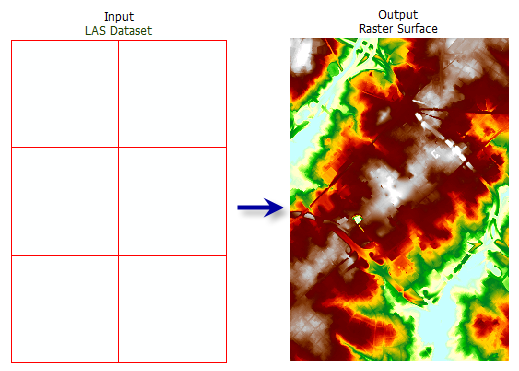
Creates a raster using elevation, intensity, or RGB values stored in the lidar points referenced by the LAS dataset.
Illustration
Usage
You can filter the LAS dataset's points by classification codes, classification flags, return values, and elevation range. Define point filters on the LAS dataset's Layer Properties dialog box or using the Make LAS Dataset Layer tool.
The LAS dataset layer can also be used to control the enforcement of surface constraint features that may be referenced by the LAS dataset. The constraints are enforced when displaying or processing the LAS dataset as a triangulated surface.
When exporting a large raster, you can specify the Output Data Type parameter value as an integer to save disk space if the accuracy requirements of the z-values can be represented by integer data.
Including a study area boundary as a clip constraint in the definition of the input LAS dataset is recommended. One reason is to prevent interpolation from occurring outside the real data extent of the survey. Another is that there can be a severe performance penalty when using natural neighbor options if the data area is not properly defined.
Note:
When using binning as the interpolation type, only clip, erase, and replace constraints are honored. Breaklines and anchor points are not. The triangulation interpolation type honors all types of constraints but takes longer to run.
Parameters
| Label | Explanation | Data type |
|---|---|---|
|
Input LAS Dataset |
The LAS dataset that will be processed. |
LAS Dataset Layer |
|
Output Raster |
The location and name of the output raster. When storing a raster dataset in a geodatabase or in a folder such as an Esri Grid, do not add a file extension to the name of the raster dataset. A file extension can be provided to define the raster's format when storing it in a folder, such as If the raster is stored as a |
Raster Dataset |
|
Value Field (Optional) |
Specifies the information from the lidar data that will be used to generate the raster output.
|
String |
|
Interpolation Type (Optional) |
The interpolation type that will be used to determine the cell value of the output raster. Either binning or triangulation based interpolation can be specified. Each type presents unique options for assigning cell values. When Interpolation Type is set to Binning, the point cloud is evaluated on a cell-by-cell basis. The value of each cell that contains points is determined by the points within the cell, whereas the value of cells without points can either be interpolated or assigned as NoData. The following options are available for the binning type:
When Interpolation Type is set to Triangulation, cell values are derived by constructing in-memory TIN surfaces from the LAS dataset's points and surface constraints. The in-memory TINs are used to interpolate cell values for the output raster. The following options are available for the triangulation type:
When the point thinning type is set to Window Size, the points are subsampled before interpolating the output raster by dividing the data into square grids. The size of the grids are based on the value provided for the resolution. The unit of the value will be based on the linear unit of the LAS dataset's horizontal coordinate system. The Resolution value is the length of each side of the two-dimensional grid that will be used to subdivide the data when the point thinning type is set to Window Size. The unit for this value is based on the linear units of the data's coordinate system. |
Interpolate |
|
Output Data Type (Optional) |
Specifies the type of numeric values that will be stored in the output raster.
|
String |
|
Sampling Type (Optional) |
Specifies how the Sampling Value parameter will be interpreted to define the output raster's cell size.
|
String |
|
Sampling Value (Optional) |
The value used in conjunction with the Sampling Type parameter to define the output raster's cell size. |
Double |
|
Z Factor (Optional) |
The factor by which z-values will be multiplied. This is typically used to convert z linear units to match x,y linear units. The default is 1, which leaves elevation values unchanged. This parameter is not available if the spatial reference of the input surface has a z-datum with a specified linear unit. |
Double |
Environments
Current Workspace, Extent, Output Coordinate System, Geographic Transformations, Auto Commit, Output CONFIG Keyword, Raster Statistics, Cell Size, Snap Raster, Pyramid, Compression
Licensing information
- Basic: Requires Spatial Analyst or 3D Analyst
- Standard: Yes
- Advanced: Yes