GroupElement Class
In This Topic
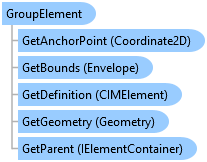
Represents a group element that appears in the layout contents pane.
Represents a group element
Object Model
Syntax
Public Class GroupElement
   Inherits Element
   Implements ArcGIS.Desktop.Mapping.IElement, ArcGIS.Desktop.Mapping.IElementContainer, System.ComponentModel.INotifyPropertyChanged, System.IComparable, System.IDisposable, System.IEquatable(Of Element)
Remarks
It is possible that group elements can be nested in another group element. If the element container is a Layout then the element gets added to the root level of the layout TOC at the top most position. If the element container is a GroupElement then it gets added to the group at the topmost position.
The FindElement method will also find elements nested in a group element.
If you want to work with all the elements within a group element, use the Elements property to return the collection of elements in a group element.
Example
Creating empty group elements
{
  //Create an empty group element at the root level of the contents pane
  //Note: Must be on QueuedTask.Run

  //container is IElementContainer - GroupLayer or Layout
  GroupElement grp1 = ElementFactory.Instance.CreateGroupElement(
                        layout, null, "Group");
  // *** or ***
  //Create a group element inside another group element

  //Find an existing group element
  //container is IElementContainer - GroupLayer or Layout
  GroupElement existingGroup = layout.FindElement("Group") as GroupElement;

  //Create on worker thread
  GroupElement grp2 = ElementFactory.Instance.CreateGroupElement(
      existingGroup, null, "Group in Group");
}
Create a group element with elements
{
  //Create a group with a list of elements at the root level of the contents pane.

  //Find an existing elements
  //container is IElementContainer - GroupLayer or Layout
  var elem1 = layout.FindElement("Polygon 1");
  var elem2 = layout.FindElement("Bezier Text");
  var elem3 = layout.FindElement("Cloud Shape 2");

  //Construct a list and add the elements
  var elmList = new List<Element>
  {
    elem1,
    elem2,
    elem3
  };
  //Note: Must be on QueuedTask.Run

  GroupElement groupWithListOfElementsAtRoot =
            ElementFactory.Instance.CreateGroupElement(
                     layout, elmList, "Group with list of elements at root");
  // *** or ***

  //Create a group using a list of element names at the root level of the contents pane.

  //List of element names
  var elmNameList = new[] { "Para Text1", "Line 3" };

  //Note: Must be on QueuedTask.Run

  var elemToGroup = layout.FindElements(elmNameList);
  GroupElement groupWithListOfElementNamesAtRoot =
        ElementFactory.Instance.CreateGroupElement(
             layout, elemToGroup, "Group with list of element names at root");
}
Inheritance Hierarchy
System.Object
ArcGIS.Desktop.Framework.Contracts.PropertyChangedBase
ArcGIS.Desktop.Layouts.Element
ArcGIS.Desktop.Layouts.GroupElement
ArcGIS.Desktop.Reports.ReportSectionElement
Requirements
Target Platforms: Windows 11 Home, Pro, Enterprise (64 bit)
ArcGIS Pro version: 3.0 or higher.
See Also