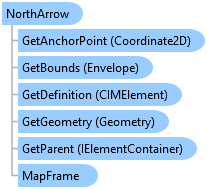
NorthArrow Class
In This Topic
Represents a north arrow element on a page layout.
Represents a north arrow on a page layout
Object Model
Syntax
Public NotInheritable Class NorthArrow
   Inherits MapSurround
   Implements ArcGIS.Desktop.Mapping.IElement, System.ComponentModel.INotifyPropertyChanged, System.IComparable, System.IDisposable, System.IEquatable(Of Element)
public sealed class NorthArrow : MapSurround, ArcGIS.Desktop.Mapping.IElement, System.ComponentModel.INotifyPropertyChanged, System.IComparable, System.IDisposable, System.IEquatable<Element>
Remarks
There are currently no additional members but this class can be used to determine the type of MapSurround and element may be.
Example
Create North Arrow From StyleItem 2
{
  //Note: Must be on QueuedTask.Run

  //Build geometry
  Coordinate2D center = new Coordinate2D(7, 5.5);

  //Reference a North Arrow in a style
  StyleProjectItem stylePrjItm = Project.Current.GetItems<StyleProjectItem>()
                                 .FirstOrDefault(item => item.Name == "ArcGIS 2D");
  NorthArrowStyleItem naStyleItm = stylePrjItm.SearchNorthArrows(
                                         "ArcGIS North 10")[0];

  //Reference MF, create north arrow and add to layout

  var mf = layout.FindElement("Map Frame") as MapFrame;
  var narrow_info = new NorthArrowInfo()
  {
    MapFrameName = mf.Name,
    NorthArrowStyleItem = naStyleItm
  };
  var arrowElm = (NorthArrow)ElementFactory.Instance.CreateMapSurroundElement(
    layout, center.ToMapPoint(), narrow_info) as NorthArrow;
  arrowElm.SetName("New North Arrow");
  arrowElm.SetHeight(1.75);
  arrowElm.SetX(7);
  arrowElm.SetY(6);
}
Inheritance Hierarchy
System.Object
ArcGIS.Desktop.Framework.Contracts.PropertyChangedBase
ArcGIS.Desktop.Layouts.Element
ArcGIS.Desktop.Layouts.MapSurround
ArcGIS.Desktop.Layouts.NorthArrow
Requirements
Target Platforms: Windows 11 Home, Pro, Enterprise (64 bit)
ArcGIS Pro version: 3.0 or higher.
See Also