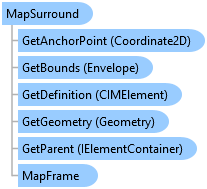
MapSurround Class
In This Topic
Represents a map surround on a page layout.
Object Model
Syntax
Public Class MapSurround
   Inherits Element
   Implements ArcGIS.Desktop.Mapping.IElement, System.ComponentModel.INotifyPropertyChanged, System.IComparable, System.IDisposable, System.IEquatable(Of Element)
public class MapSurround : Element, ArcGIS.Desktop.Mapping.IElement, System.ComponentModel.INotifyPropertyChanged, System.IComparable, System.IDisposable, System.IEquatable<Element>
Remarks
A MapSurround is a type of Element and therefore can be positioned or resized on the page. A MapSurround also has an associated MapFrame that can be modified.
Legend, NorthArrow, and ScaleBar are types of a MapSurround.
Example
Update a map surround
{
  //Update a map surround.
  //Note: Must be on QueuedTask.Run
  // Reference and load the layout associated with the layout item

  // Reference a scale bar element by name
  MapSurround scaleBar = layout.FindElement("MyScaleBar") as MapSurround;

  // Reference a map frame element by name
  MapFrame mf = layout.FindElement("MyMapFrame") as MapFrame;

  if ((scaleBar != null) && (mf != null))
    //Set the scale bar to the newly referenced map frame
    scaleBar.SetMapFrame(mf);
}
Inheritance Hierarchy
System.Object
ArcGIS.Desktop.Framework.Contracts.PropertyChangedBase
ArcGIS.Desktop.Layouts.Element
ArcGIS.Desktop.Layouts.MapSurround
ArcGIS.Desktop.Layouts.ChartFrame
ArcGIS.Desktop.Layouts.ElevationGuideBar
ArcGIS.Desktop.Layouts.Legend
ArcGIS.Desktop.Layouts.NorthArrow
ArcGIS.Desktop.Layouts.ScaleBar
ArcGIS.Desktop.Layouts.TableFrame
Requirements
Target Platforms: Windows 11 Home, Pro, Enterprise (64 bit)
ArcGIS Pro version: 3.0 or higher.
See Also