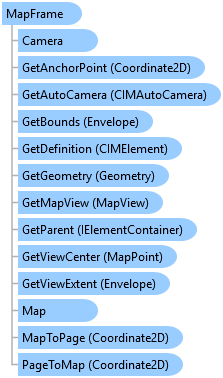
MapFrame Class
In This Topic
Represents a map frame on a page layout.
Object Model
Syntax
Public NotInheritable Class MapFrame
   Inherits Element
   Implements ArcGIS.Desktop.Mapping.IElement, System.ComponentModel.INotifyPropertyChanged, System.IComparable, System.IDisposable, System.IEquatable(Of Element)
public sealed class MapFrame : Element, ArcGIS.Desktop.Mapping.IElement, System.ComponentModel.INotifyPropertyChanged, System.IComparable, System.IDisposable, System.IEquatable<Element>
Remarks
The MapFrame class primarily manages the placement of maps and scenes on a page layout. You can use Map and SetMap members to get and set the Map associated with a MapFrame.
The Export method allows you to export only the contents of a map frame instead of, for example, exporting an entire page layout.
If you want to change the geographic extent within a map frame, you can use the Camera and SetCamera members to get and set the Camera associated with a MapFrame. SetCamera is an overloaded method that allows you to change the map frame extent to a camera position, a bookmark location, and so on.
Example
Create Map Frame and Set Camera
{
  //Create a map frame and set its camera by zooming to the extent of an existing bookmark.
  //Construct on the worker thread

  //Build 2D envelope geometry
  Coordinate2D mf_ll = new Coordinate2D(6.0, 8.5);
  Coordinate2D mf_ur = new Coordinate2D(8.0, 10.5);
  Envelope mf_env = EnvelopeBuilderEx.CreateEnvelope(mf_ll, mf_ur);

  //Reference map, create MF and add to layout
  MapProjectItem mapPrjItem = Project.Current.GetItems<MapProjectItem>()
                       .FirstOrDefault(item => item.Name.Equals("Map"));
  Map mfMap = mapPrjItem.GetMap();
  Bookmark bookmark = mfMap.GetBookmarks().FirstOrDefault(
                        b => b.Name == "Great Lakes");

  MapFrame mfElm = ElementFactory.Instance.CreateMapFrameElement(
                       layout, mf_env, mfMap, "New Map Frame");

  //Zoom to bookmark
  mfElm.SetCamera(bookmark);
}
Create Map Frame 1
{
  //Note: QueuedTask.Run

  //Build geometry
  Coordinate2D ll = new Coordinate2D(2.0, 4.5);
  Coordinate2D ur = new Coordinate2D(4.0, 6.5);
  Envelope env = EnvelopeBuilderEx.CreateEnvelope(ll, ur);

  //Reference map, create MF and add to layout
  MapFrame mfElm = ElementFactory.Instance.CreateMapFrameElement(layout, env, map);
}
Create Map Frame 2
{
  //Note: Must be on QueuedTask.Run(() => { ...

  //Build geometry
  Coordinate2D ll = new Coordinate2D(4.0, 2.5);
  Coordinate2D ur = new Coordinate2D(7.0, 5.5);
  Envelope env = EnvelopeBuilderEx.CreateEnvelope(ll, ur);

  MapFrame mfElm = ElementFactory.Instance.CreateMapFrameElement(
  layout, env.Center, map);
}
Create a new spatial map series
{
  // This example create a new spatial map series and then applies it to the active layout. This will automatically
  // overwrite an existing map series if one is already present.
  //Note: Must be on QueuedTask.Run;
  //SpatialMapSeries constructor - required parameters
  BasicFeatureLayer indexLyr = map.FindLayers("Countries").FirstOrDefault() as BasicFeatureLayer;
  SpatialMapSeries SMS = MapSeries.CreateSpatialMapSeries(layout, mapFrame, indexLyr, "Name");

  //Set optional, non-default values
  SMS.CategoryField = "Continent";
  SMS.SortField = "Population";
  SMS.ExtentOptions = ExtentFitType.BestFit;
  SMS.MarginType = ArcGIS.Core.CIM.UnitType.PageUnits;
  SMS.MarginUnits = ArcGIS.Core.Geometry.LinearUnit.Centimeters;
  SMS.Margin = 1;
  SMS.ScaleRounding = 1000;
  layout.SetMapSeries(SMS);  //Overwrite existing map series.
}
Inheritance Hierarchy
System.Object
ArcGIS.Desktop.Framework.Contracts.PropertyChangedBase
ArcGIS.Desktop.Layouts.Element
ArcGIS.Desktop.Layouts.MapFrame
Requirements
Target Platforms: Windows 11 Home, Pro, Enterprise (64 bit)
ArcGIS Pro version: 3.0 or higher.
See Also