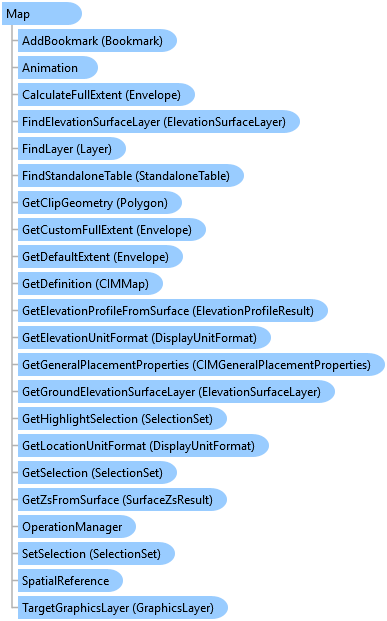
Map Class
In This Topic
Represents the primary object used for the organization of geographic data.
Object Model
Syntax
Public NotInheritable Class Map
   Inherits ArcGIS.Desktop.Framework.Contracts.PropertyChangedBase
   Implements ArcGIS.Desktop.Core.IMetadataInfo, IElementContainer, ILayerContainer, ILayerContainerEdit, IStandaloneTableContainer, IStandaloneTableContainerEdit, System.ComponentModel.INotifyPropertyChanged
Remarks
To create a Map, you must call one of the create methods of the MapFactory class.
To open a map, use ProApp.Panes.CreateMapPaneAsync method.
You can also think of a Map as a container of layers, StandaloneTables, bookmarks etc. You need to use a MapView to interact with a map. Multiple MapViews can be opened for a Map at a given time, but there can only be one active MapView which is returned by the MapView.Active static member. Use the Map property to access the Map object associated with the MapView. The Map object has properties that operate on all layers within the map, such as spatial reference, reference scale, and so on, along with methods that manipulate the map's layers.
Example
Get the active map
{
    //This is how you get the active map
    var mapToGet = MapView.Active?.Map;
}
Create a new map with a default basemap layer
{
    //Note: Needs QueuedTask to run
    MapFactory.Instance.CreateMap("The Map", ArcGIS.Core.CIM.MapType.Map, ArcGIS.Core.CIM.MapViewingMode.Map, Basemap.ProjectDefault);
}
Find a map within a project and open it
{
    //Finding the first project item with name matches with mapName
    MapProjectItem? mpi = Project.Current.GetItems<MapProjectItem>()
      .FirstOrDefault(m => m.Name.Equals("The Map", StringComparison.CurrentCultureIgnoreCase));
    //Note: Needs QueuedTask to run
    var mapFromItem = mpi?.GetMap();
    if (mapFromItem != null)
    {
        //Open the map in a new map pane
        //Must be called from the UI thread
        await ProApp.Panes.CreateMapPaneAsync(map);
    }
}
Open a webmap
{
    //Assume we get the selected webmap from the Project pane's Portal tab
    if (Project.Current.SelectedItems.Count > 0)
    {
        if (MapFactory.Instance.CanCreateMapFrom(Project.Current.SelectedItems[0]))
        {
            map = MapFactory.Instance.CreateMapFromItem(Project.Current.SelectedItems[0]);
            await ProApp.Panes.CreateMapPaneAsync(map);
        }
    }
}
Inheritance Hierarchy
System.Object
ArcGIS.Desktop.Framework.Contracts.PropertyChangedBase
ArcGIS.Desktop.Mapping.Map
Requirements
Target Platforms: Windows 11 Home, Pro, Enterprise (64 bit)
ArcGIS Pro version: 3.0 or higher.
See Also