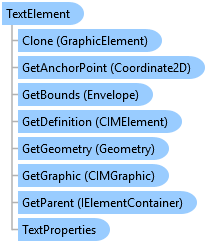
TextElement Class
In This Topic
Represents a text element on a page layout.
Object Model
Syntax
Public Class TextElement
   Inherits GraphicElement
   Implements ArcGIS.Desktop.Mapping.IElement, System.ComponentModel.INotifyPropertyChanged, System.IComparable, System.IDisposable, System.IEquatable(Of Element)
Remarks
The TextElement class represents text elements on a page layout. This includes items such as inserted point text, rectangle text, and so on. It can
also include text elements that are part of a group element but it does not include text that is part of a legend, scale bar or other map surround items.
Example
Create a Dynamic Point Text Element
{
  //Create a dynamic text element.

  //Set the string with tags and the location
  String title = @"<dyn type = ""page"" property = ""name"" />";
  Coordinate2D llTitle = new Coordinate2D(6, 2.5);
  //Create with default text properties
  //Note: Must be on QueuedTask.Run
  TextElement titleGraphics = ElementFactory.Instance.CreateTextGraphicElement(
                  layout, TextType.PointText, llTitle.ToMapPoint(), null, title) as TextElement;

  //Modify the text properties
  titleGraphics.SetTextProperties(new TextProperties(title, "Arial", 24, "Bold"));
}
Update text element properties
{
  //Update text element properties for an existing text element.
  //Note: Must be on QueuedTask.Run
  // Reference and load the layout associated with the layout item
  if (layout != null)
  {
    // Reference a text element by name
    TextElement txtElm = layout.FindElement("MyTextElement") as TextElement;
    if (txtElm != null)
    {
      double x = 2.0;
      double y = 3.0;
      // Change placement properties
      txtElm.SetAnchor(Anchor.CenterPoint);
      txtElm.SetX(x);
      txtElm.SetY(y);

      // Change TextProperties
      TextProperties txtProperties = new TextProperties(
                        "Hello world", "Times New Roman", 48, "Regular");
      txtElm.SetTextProperties(txtProperties);
    }
  }
Inheritance Hierarchy
System.Object
ArcGIS.Desktop.Framework.Contracts.PropertyChangedBase
ArcGIS.Desktop.Layouts.Element
ArcGIS.Desktop.Layouts.GraphicElement
ArcGIS.Desktop.Layouts.TextElement
Requirements
Target Platforms: Windows 11 Home, Pro, Enterprise (64 bit)
ArcGIS Pro version: 3.0 or higher.
See Also