GraphicElement Class
In This Topic
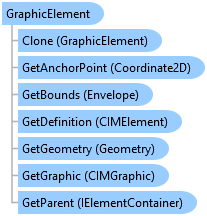
Represents a graphic element on a page layout.
Object Model
Syntax
Public Class GraphicElement
   Inherits Element
   Implements ArcGIS.Desktop.Mapping.IElement, System.ComponentModel.INotifyPropertyChanged, System.IComparable, System.IDisposable, System.IEquatable(Of Element)
public class GraphicElement : Element, ArcGIS.Desktop.Mapping.IElement, System.ComponentModel.INotifyPropertyChanged, System.IComparable, System.IDisposable, System.IEquatable<Element>
Remarks
Graphic elements are a type of Element and include inserted graphic points, lines, or area shapes. PictureElement and TextElement are also a type of graphic element.
The Graphic property returns a CIM representation of the graphic specific attributes for a GraphicElement. This may provide additional, finer grained properties exposed in the CIM that are not exposed in the managed API. SetGraphic applies the changes made to a modified CIMGraphic back to the GraphicElement.
The Clone method allows you to duplicate existing graphic elements on your page layout. This can be useful where you may have a variable number of pictures, for example, on each page in the map series. Rather than authoring a layout with all possibilities, a single picture element can be cloned and updated the appropriate number of times to reference a different set of pictures on disk for each page in the series.
Example
Create rectangle graphic with simple symbology
{
  //Create a simple 2D rectangle graphic and apply simple fill and
  //outline symbols.

  //Note: Must be on QueuedTask.Run

  //Build 2D envelope geometry
  Coordinate2D rec_ll = new Coordinate2D(1.0, 4.75);
  Coordinate2D rec_ur = new Coordinate2D(3.0, 5.75);

  Envelope rec_env = EnvelopeBuilderEx.CreateEnvelope(rec_ll, rec_ur);

  //Set symbology, create and add element to layout
  CIMStroke outline = SymbolFactory.Instance.ConstructStroke(
    ColorFactory.Instance.BlackRGB, 5.0, SimpleLineStyle.Solid);
  CIMPolygonSymbol polySym = SymbolFactory.Instance.ConstructPolygonSymbol(
    ColorFactory.Instance.GreenRGB, SimpleFillStyle.DiagonalCross, outline);


  GraphicElement recElm = ElementFactory.Instance.CreateGraphicElement(
    layout, rec_env, polySym, "New Rectangle");
  //Or use Predefined shape
  GraphicElement recElm2 = ElementFactory.Instance.CreatePredefinedShapeGraphicElement(
                            layout, PredefinedShape.Rectangle, rec_env, polySym,
                            "New Rectangle2");
}
Find layout elements
{
  //Note: Must be on QueuedTask.Run
  //Find elements by name
  var layoutElementsToFind = layout.FindElements(new List<string>() { "Point 1", "Line 3", "Text 1" });
  //Get the collection of elements from the page layout. Nesting within GroupElement is preserved.
  var elementCollection = layout.GetElements();
  //Get the collection of Element from the page layout as a flattened list. Nested groups within GroupElement are not preserved.
  var elements = layout.GetElementsAsFlattenedList();
  //Convert collection of the elements to a collection of GraphicElements.
  var graphicElements = elements.ToList().ConvertAll(x => (GraphicElement)x);
  //Find elements by type
  //Find all point graphics in the Layout
  var pointGraphics = graphicElements.Where(elem => elem.GetGraphic() is CIMPointGraphic);
  //Find all line graphics in the Graphics Layer
  var lineGraphics = graphicElements.Where(elem => elem.GetGraphic() is CIMLineGraphic);
  ////Find all polygon graphics in the Graphics Layer
  var polyGraphics = graphicElements.Where(elem => elem.GetGraphic() is CIMPolygonGraphic);
  ////Find all text graphics in the Graphics Layer
  var textGraphics = graphicElements.Where(elem => elem.GetGraphic() is CIMTextGraphic);
  ////Find all picture graphics in the Graphics Layer
  var pictureGraphic = graphicElements.Where(elem => elem.GetGraphic() is CIMPictureGraphic);
}
Inheritance Hierarchy
System.Object
ArcGIS.Desktop.Framework.Contracts.PropertyChangedBase
ArcGIS.Desktop.Layouts.Element
ArcGIS.Desktop.Layouts.GraphicElement
ArcGIS.Desktop.Layouts.PictureElement
ArcGIS.Desktop.Layouts.TextElement
Requirements
Target Platforms: Windows 11 Home, Pro, Enterprise (64 bit)
ArcGIS Pro version: 3.0 or higher.
See Also