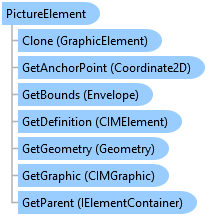
PictureElement Class
In This Topic
Represents a picture element on a page layout.
Object Model
Syntax
Public Class PictureElement
   Inherits GraphicElement
   Implements ArcGIS.Desktop.Mapping.IElement, System.ComponentModel.INotifyPropertyChanged, System.IComparable, System.IDisposable, System.IEquatable(Of Element)
public class PictureElement : GraphicElement, ArcGIS.Desktop.Mapping.IElement, System.ComponentModel.INotifyPropertyChanged, System.IComparable, System.IDisposable, System.IEquatable<Element>
Remarks
A PictureElement is a type of GraphicElement and therefore can be positioned or resized on the page. Picture elements are embedded in the project file (.aprx) but the SourcePath property will return the original source file source path. You can change the picture by using the SetSourcePath method along with a new file path.
Example
Update a picture element
{
  //Update a picture element.
  //Note: Must be on QueuedTask.Run

  // Reference a picture element by name
  PictureElement picElm = layout.FindElement("MyPicture") as PictureElement;
  // Change the path to a new source
  picElm?.SetSourcePath(@"D:\MyData\Pics\somePic.jpg");
}
Inheritance Hierarchy
System.Object
ArcGIS.Desktop.Framework.Contracts.PropertyChangedBase
ArcGIS.Desktop.Layouts.Element
ArcGIS.Desktop.Layouts.GraphicElement
ArcGIS.Desktop.Layouts.PictureElement
Requirements
Target Platforms: Windows 11 Home, Pro, Enterprise (64 bit)
ArcGIS Pro version: 3.0 or higher.
See Also