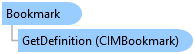
Bookmark Class
In This Topic
Represents a geographic location in the map. This location can also contain a specific point in time.
Object Model
Syntax
Public NotInheritable Class Bookmark
   Inherits ArcGIS.Desktop.Framework.Contracts.PropertyChangedBase
   Implements System.ComponentModel.INotifyPropertyChanged
public sealed class Bookmark : ArcGIS.Desktop.Framework.Contracts.PropertyChangedBase, System.ComponentModel.INotifyPropertyChanged
Remarks
Bookmarks can be spatial (2D or 3D) and temporal. If your map is time-enabled, bookmarks can be created for a specific point in time. Bookmarks in an ArcGIS Pro project are associated and managed with the map they were created in. Bookmarks are transferable, so you can re-use bookmarks between multiple maps and scenes in your project, as well as with or without temporal information.
You can call the Map.GetBookmarks method on the Map to return a collection of bookmarks for the map. An similar extension method, ArcGIS.Desktop.Core.ProjectExtender.GetBookmarks, is available off of Project which will return all the bookmarks in the Project. You can use the bookmark to navigate the view by calling the MapView.ZoomTo or MapView.PanTo methods on the MapView.
Example
Zoom To Bookmark by name
{
  // Note: Needs QueuedTask to run
  {
    //Get the first bookmark with the given name.
    var bookmark = mapView.Map.GetBookmarks().FirstOrDefault(b => b.Name == bookmarkName);
    if (bookmark == null)
    {
      // Manage the error - bookmark not found
    }

    //Zoom the view to the bookmark.
    mapView.ZoomTo(bookmark);
  }
}
Zoom Async To Bookmark by name
{
  // Note: Needs QueuedTask to run
  //Get the first bookmark with the given name.
  var bookmark = mapView.Map.GetBookmarks().FirstOrDefault(b => b.Name == bookmarkName);
  if (bookmark == null)
  {
    // Manage the error - bookmark not found
  }

  //Zoom the view to the bookmark.
  mapView.ZoomToAsync(bookmark, TimeSpan.FromSeconds(2));
}
Create a new bookmark using the active map view
{
  // Note: Needs QueuedTask to run
  {
    //Adding a new bookmark using the active view.
    mapView.Map.AddBookmark(mapView, bookmarkName);
  }
}
Get the collection of bookmarks for the project
{
  //Get the collection of bookmarks for the project.
  var result = Project.Current.GetBookmarks();
  // Use the bookmarks (if any)
}
Get Map Bookmarks
{
  // Note: Needs QueuedTask to run
  {
    //Return the collection of bookmarks for the map.
    var result = mapView.Map.GetBookmarks();
    // Use the bookmarks (if any)
  }
}
Remove bookmark with a given name
{
  // Note: Needs QueuedTask to run
  {
    //Find the first bookmark with the name
    var bookmark = mapView.Map.GetBookmarks().FirstOrDefault(b => b.Name == bookmarkName);
    if (bookmark == null)
    {
      //Bookmark not found
    }

    //Remove the bookmark
    mapView.Map.RemoveBookmark(bookmark);
  }
}
Change the thumbnail for a bookmark
{
  //Set the thumbnail to an image on disk, i.e. C:\Pictures\MyPicture.png.
  BitmapImage image = new(new Uri(imagePath, UriKind.RelativeOrAbsolute));
  oldBookmark.SetThumbnail(image);
}
Inheritance Hierarchy
System.Object
ArcGIS.Desktop.Framework.Contracts.PropertyChangedBase
ArcGIS.Desktop.Mapping.Bookmark
Requirements
Target Platforms: Windows 11 Home, Pro, Enterprise (64 bit)
ArcGIS Pro version: 3.0 or higher.
See Also