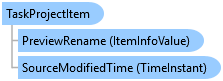
TaskProjectItem Class
In This Topic
Represents a task project item.
Object Model
Syntax
Public NotInheritable Class TaskProjectItem
   Inherits ArcGIS.Desktop.Core.Item
   Implements ArcGIS.Desktop.Core.IMetadata, ArcGIS.Desktop.Core.IProjectItem, ArcGIS.Desktop.Core.IProjectMultiItem, System.ComponentModel.INotifyPropertyChanged
public sealed class TaskProjectItem : ArcGIS.Desktop.Core.Item, ArcGIS.Desktop.Core.IMetadata, ArcGIS.Desktop.Core.IProjectItem, ArcGIS.Desktop.Core.IProjectMultiItem, System.ComponentModel.INotifyPropertyChanged
Remarks
Task project items are stored within the project and are visible under the Tasks category in the Catalog pane.
Example
Retrieve all the Task Items in a Project
IEnumerable<TaskProjectItem> taskItems = Project.Current.GetItems<TaskProjectItem>();
foreach (var item in taskItems)
{
  // do something
}
Open a Project Task Item
{
  // get the first project task item
  var taskItem = Project.Current.GetItems<TaskProjectItem>().FirstOrDefault();
  // if there isn't a project task item, return
  if (taskItem == null)
    return;

  try
  {
    // Open it
    //At 2.x -
    //System.Guid guid = await TaskAssistantModule.OpenTaskItemAsync(taskItem.TaskItemGuid);
    var guid = await TaskAssistantFactory.Instance.OpenTaskItemAsync(taskItem.TaskItemGuid);

    // TODO - retain the guid returned for use with CloseTaskItemAsync
  }
  catch (OpenTaskException e)
  {
    ArcGIS.Desktop.Framework.Dialogs.MessageBox.Show(e.Message);
  }
}
Close a Task Item
{
  // find the first project task item which is open
  var taskItem = Project.Current.GetItems<TaskProjectItem>().FirstOrDefault(t => t.IsOpen == true);
  // if there isn't a project task item, return
  if (taskItem == null)
    return;

  if (taskItem.IsOpen)
  {
    // close it
    // NOTE : The task item will also be removed from the project
    //At 2.x -
    //TaskAssistantModule.CloseTaskAsync(taskItem.TaskItemGuid);
    TaskAssistantFactory.Instance?.CloseTaskItemAsync(taskItem.TaskItemGuid);
  }
}
Export a Task Item
{
  // get the first project task item
  var taskItem = Project.Current.GetItems<TaskProjectItem>().FirstOrDefault();
  // if there isn't a project task item, return
  if (taskItem == null)
    return;

  try
  {
    // export the task item to the c:\Temp folder
    string exportFolder = @"c:\temp";
    //At 2.x -
    //string fileName = await TaskAssistantModule.ExportTaskAsync(taskItem.TaskItemGuid, exportFolder);
    string fileName = await TaskAssistantFactory.Instance.ExportTaskItemAsync(taskItem.TaskItemGuid, exportFolder);
    ArcGIS.Desktop.Framework.Dialogs.MessageBox.Show("Task saved to " + fileName);
  }
  catch (ExportTaskException e)
  {
    ArcGIS.Desktop.Framework.Dialogs.MessageBox.Show("Error saving task " + e.Message);
  }
}
Inheritance Hierarchy
System.Object
ArcGIS.Desktop.Framework.Contracts.PropertyChangedBase
ArcGIS.Desktop.Core.Item
ArcGIS.Desktop.TaskAssistant.TaskProjectItem
Requirements
Target Platforms: Windows 11 Home, Pro, Enterprise (64 bit)
ArcGIS Pro version: 3.0 or higher.
See Also