CIMMaterialSymbolLayer Class
In This Topic
Represents a material which defines how the multipatch or mesh is drawn.
Object Model
Syntax
Public Class CIMMaterialSymbolLayer
   Inherits CIMSymbolLayer
   Implements System.ComponentModel.INotifyPropertyChanged, System.Xml.Serialization.IXmlSerializable
public class CIMMaterialSymbolLayer : CIMSymbolLayer, System.ComponentModel.INotifyPropertyChanged, System.Xml.Serialization.IXmlSerializable
Example
Mesh material fill symbol
/// <summary> /// Create a mesh symbol that can be applied to a multi-patch feature layer. /// A mesh symbol is a CIMMeshSymbol object. Define an array of CIMSymbolLayers which contains a CIMMaterialSymbol layer with the specified properties such as Color, etc. /// Assign this array of CIMSymbolLayers to the CIMMeshSymbol. /// 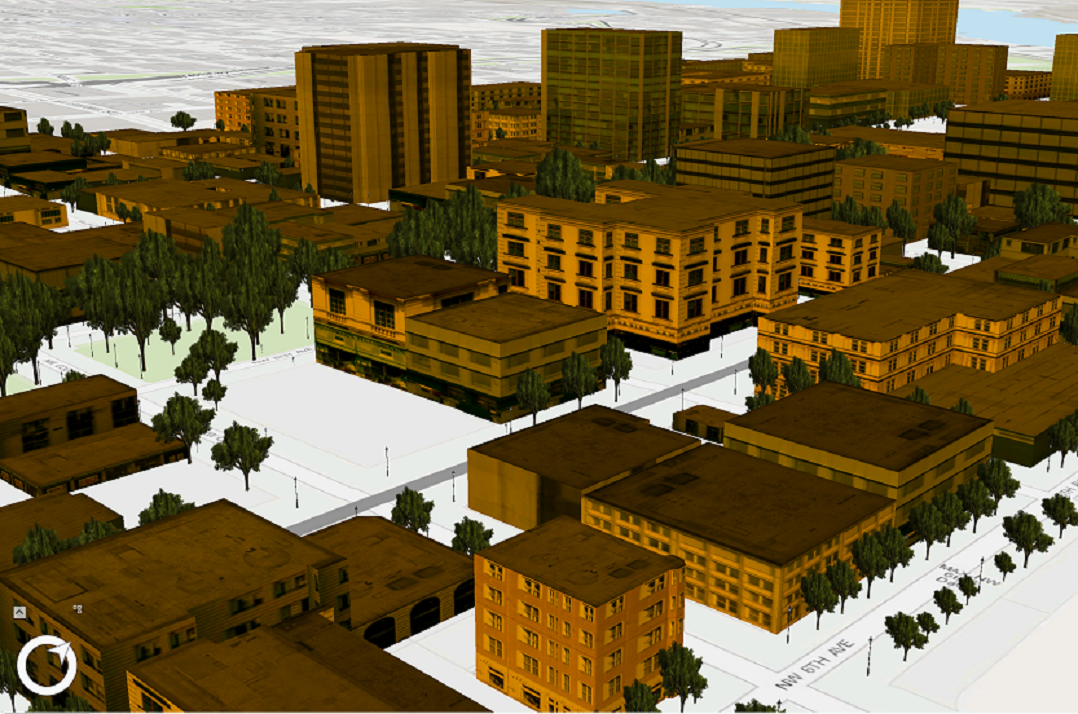 /// </summary> { //Note: Run withing QueuedTask CIMSymbolLayer[] materialSymbolLayer = { new CIMMaterialSymbolLayer() { Color = ColorFactory.Instance.CreateRGBColor(230,152,0), MaterialMode = MaterialMode.Multiply } }; var meshMaterialFillSymbol = new CIMMeshSymbol() { SymbolLayers = materialSymbolLayer }; }
Inheritance Hierarchy
System.Object
ArcGIS.Core.CIM.CIMObject
ArcGIS.Core.CIM.CIMSymbolLayer
ArcGIS.Core.CIM.CIMMaterialSymbolLayer
Requirements
Target Platforms: Windows 11 Home, Pro, Enterprise (64 bit)
ArcGIS Pro version: 3.0 or higher.
See Also