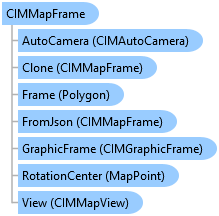
CIMMapFrame Class
In This Topic
Represents a map frame on a page layout.
Object Model
Syntax
Public Class CIMMapFrame
   Inherits CIMFrameElement
   Implements System.ComponentModel.INotifyPropertyChanged, System.Xml.Serialization.IXmlSerializable
public class CIMMapFrame : CIMFrameElement, System.ComponentModel.INotifyPropertyChanged, System.Xml.Serialization.IXmlSerializable
Example
Apply a Background Color to a MapFrame
{
  //Apply a background color to the map frame element using the CIM.
  //Note: Must be on QueuedTask.Run
  //Get the map frame's definition in order to modify the background.
  var mapFrameDefn = mapFrame.GetDefinition() as CIMMapFrame;

  //Construct the polygon symbol to use to create a background
  var polySymbol = SymbolFactory.Instance.ConstructPolygonSymbol(
                  ColorFactory.Instance.BlueRGB, SimpleFillStyle.Solid);

  //Set the background
  mapFrameDefn.GraphicFrame.BackgroundSymbol =
                                    polySymbol.MakeSymbolReference();

  //Set the map frame definition
  mapFrame.SetDefinition(mapFrameDefn);
}
Inheritance Hierarchy
System.Object
ArcGIS.Core.CIM.CIMObject
ArcGIS.Core.CIM.CIMElement
ArcGIS.Core.CIM.CIMFrameElement
ArcGIS.Core.CIM.CIMMapFrame
Requirements
Target Platforms: Windows 11 Home, Pro, Enterprise (64 bit)
ArcGIS Pro version: 3.0 or higher.
See Also