KnowledgeGraphInvestigationView Class
In This Topic
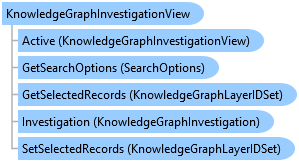
Represents the view of a Knowledge Graph investigation in a pane.
Object Model
Syntax
Public NotInheritable Class KnowledgeGraphInvestigationView
public sealed class KnowledgeGraphInvestigationView
Remarks
A project can contain multiple investigations. An investigation view is simply a view of an investigation. The KnowledgeGraphInvestigationView class provides methods and properties to navigate and interact with items in the investigation. The investigation being visualized in the view can be accessed via the Investigation property.
There can be multiple investigation views open at a given time, but there can only be one active investigation view. The active investigation view will set the context for the ribbon and many of the dock panes in the application. For example, the Contents pane will reflect the items of the active investigation view's investigation. The instance of the active investigation view can be accessed via the static the Active property. The property will return null if there is no active investigation view.
The investigation view also provides the context for managing selected items in the Contents pane. For example, the GetSelectedEntities method returns a collection of entities that are currently selected in the Contents pane.
Example
Get the active KnowledgeGraphInvestigationView, KnowledgeGraphInvestigation
{
  // access the currently active knowledge graph investigation view
  KnowledgeGraphInvestigationView activeView = KnowledgeGraphInvestigationView.Active;
  KnowledgeGraphInvestigation investigation = activeView?.Investigation;
  if (investigation != null)
  {
    // perform some action
  }
}
Activate an existing investigation view
{
  //Confirm if investigation exists as a project item
  KnowledgeGraphInvestigationProjectItem investigationItem =
     Project.Current.GetItems<KnowledgeGraphInvestigationProjectItem>().FirstOrDefault(
                                                        item => item.Name.Equals("myInvestigation"));
  if (investigationItem != null)
  {
    KnowledgeGraphInvestigation investigation =
       await QueuedTask.Run(() => investigationItem.GetInvestigation());

    // see if a view is already open that references the same investigation
    foreach (var investigationPane in ProApp.Panes.OfType<IKnowledgeGraphInvestigationPane>())
    {
      //if there is a match, activate the view
      if (investigationPane.InvestigationView.Investigation == investigation)
      {
        (investigationPane as Pane).Activate();
        return;
      }
    }
  }
}
Select entity, relationship types in an investigation view
{
  // get the active investigation view
  var iv = KnowledgeGraphInvestigationView.Active;

  // clear any TOC selection
  iv.ClearTOCSelection();

  // select entities
  List<string> entities = new List<string>();
  entities.Add("Person");
  entities.Add("Org");
  iv.SelectEntities(entities);

  // or select relationships
  List<string> relationships = new List<string>();
  relationships.Add("HasEmployee");
  iv.SelectRelationships(relationships);

  // or select a combination
  List<string> namedObjectTypes = new List<string>();
  namedObjectTypes.Add("Person");
  namedObjectTypes.Add("Org");
  namedObjectTypes.Add("HasEmployee");
  iv.SelectNamedObjectTypes(namedObjectTypes);
}
Select records in an investigation view
{
  // get the active investigation view
  var iv = KnowledgeGraphInvestigationView.Active;
  var serviceUri = iv.Investigation.ServiceUri;

  // build a dictionary of records
  string some_entity = "Entity_Type_Name";
  var dict = new Dictionary<string, List<long>>();
  //Each entry consists of the type name and corresponding lists of ids
  dict.Add(some_entity, new List<long>() { 1, 5, 18, 36, 78 });

  //Create the id set...
  var idSet = KnowledgeGraphLayerIDSet.FromDictionary(new Uri(serviceUri), dict);

  // select the records on the investigation view
  iv.SetSelectedRecords(idSet, SelectionCombinationMethod.New);
}
Clear selected records in an investigation view
{
  // get the active investigation view
  var iv = KnowledgeGraphInvestigationView.Active;

  // clear the selected records
  iv.ClearSelectedRecords();
}
Get Selected records and open in a new link chart
{
  // get the active investigation view
  var iv = KnowledgeGraphInvestigationView.Active;

  await QueuedTask.Run(() =>
  {
    // get the investigation
    var inv = iv.Investigation;

    // get the set of selected records
    var idSet = iv.GetSelectedRecords();

    // view these records in a link chart
    var map = MapFactory.Instance.CreateLinkChart("myLinkChart", new Uri(inv.ServiceUri), idSet);
    ProApp.Panes.CreateMapPaneAsync(map);
  });
}
Inheritance Hierarchy
System.Object
ArcGIS.Desktop.KnowledgeGraph.KnowledgeGraphInvestigationView
Requirements
Target Platforms: Windows 11 Home, Pro, Enterprise (64 bit)
ArcGIS Pro version: 3.5 or higher.
See Also