PresentationProjectItem Class
In This Topic
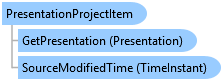
Presentation project item
Object Model
Syntax
Public NotInheritable Class PresentationProjectItem
   Inherits ArcGIS.Desktop.Internal.Core.ProjectItem
   Implements ArcGIS.Desktop.Core.IMetadata, ArcGIS.Desktop.Core.IProjectItem, System.ComponentModel.INotifyPropertyChanged
public sealed class PresentationProjectItem : ArcGIS.Desktop.Internal.Core.ProjectItem, ArcGIS.Desktop.Core.IMetadata, ArcGIS.Desktop.Core.IProjectItem, System.ComponentModel.INotifyPropertyChanged
Example
Gets all the presentation items in the current project
{
  var projectPresentations = Project.Current.GetItems<PresentationProjectItem>();
  foreach (var projectItem in projectPresentations)
  {
    //Do Something with the presentation
  }
}
Reference an existing presentation
{
  //Reference a presentation associated with an active presentation view
  PresentationView associatedPresentationView = PresentationView.Active;
  if (activePresentationView != null)
  {
    Presentation presentationExisting = activePresentationView.Presentation;
  }
}
Get a specific presentation
{
  PresentationProjectItem presentationProjItem = Project.Current.GetItems<PresentationProjectItem>().FirstOrDefault(item => item.Name.Equals(presentationName));
  Presentation presentationFromItem = presentationProjItem?.GetPresentation();
}
Open a presentation project item in a new view
{
  //Open a presentation project item in a new view.
  //A presentation project item may exist but it may not be open in a view.

  //Reference a presentation project item by name
  PresentationProjectItem presentationPrjItem = Project.Current.GetItems<PresentationProjectItem>().FirstOrDefault(item => item.Name.Equals(presentationName));

  //Get the presentation associated with the presentation project item
  //Note: Must be within QueuedTask.Run
  Presentation presentationToOpen = presentationPrjItem.GetPresentation();

  //Create the new pane
  IPresentationPane iNewPresentationPane = await ProApp.Panes.CreatePresentationPaneAsync(presentationToOpen); //GUI thread
}
Activate a presentation view
{
  //Assume we want to open a view for a particular presentation or activate a view if one is already open

  //A presentation project item is an item that appears in the Presentation folder in the Catalog pane.
  PresentationProjectItem presentationItem = Project.Current.GetItems<PresentationProjectItem>()
                                             .FirstOrDefault(item => item.Name.Equals("Presentation Name"));
  //Note: Must be on QueuedTask.Run
  //Reference a presentation associated with a presentation project item
  if (presentationItem != null)
  {
    //Get the presentation associated with the presentationItem
    Presentation presentationToOpen = presentationItem.GetPresentation();

    //Next check to see if a presentation view is already open that references the presentation
    foreach (var pane in ProApp.Panes)
    {
      var prePane = pane as IPresentationPane;
      if (prePane == null)  // Not a presentation view, continue to the next pane
        continue;

      //if there is a match, activate the view
      if (prePane.PresentationView.Presentation == presentationToOpen)
      {
        (prePane as Pane).Activate();
        return;
      }
    }

    //No pane found, activate a new one - must be called on UI
    IPresentationPane iNewPresentationPane = await ProApp.Panes.CreatePresentationPaneAsync(presentationToOpen); //GUI thread
  }
}
Inheritance Hierarchy
System.Object
ArcGIS.Desktop.Framework.Contracts.PropertyChangedBase
ArcGIS.Desktop.Core.Item
ArcGIS.Desktop.Presentations.PresentationProjectItem
Requirements
Target Platforms: Windows 11 Home, Pro, Enterprise (64 bit)
ArcGIS Pro version: 3.5 or higher.
See Also