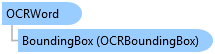
OCRWord Class
In This Topic
Represents a detected word within a document image. Used within the components of an OCRTSVOutput instance.
Object Model
Syntax
Remarks
The TSV output hierarchy is as follows: - OCRPage -> OCRBlock -> OCRParagraph -> OCRLine -> OCRWord.
Example
Extract TSV output from a document
{
  string docFileName = "c:\\MyData\\MyDocument.bmp";

  var ocrOptions = new OCROptions(docFileName);
  ocrOptions.OutputType = OCROutputType.TSV;

  // set a specific page if necessary
  // (if not set, then all pages are scanned)
  // ocrOptions.Page = pageIdx;

  // set the resolution if necessary
  // ocrOptions.Resolution = 400;

  var output = await OCRManager.Instance.ExtractFromDocumentAsync(ocrOptions);
  if (output is OCRTSVOutput ocr_tsvOutput)
  {
    // process the tsv output
    foreach (var page in ocr_tsvOutput.Pages)
    {
      foreach (var block in page.Blocks)
      {
        foreach (var para in block.Paragraphs)
        {
          foreach (var line in para.Lines)
          {
            foreach (var word in line.Words)
            {
              var content = word.Content;
              var confidence = word.Confidence;

              // process content according to confidence
            }
          }
        }
      }
    }
  }
}
Inheritance Hierarchy
System.Object
ArcGIS.Core.OCR.OCRWord
Requirements
Target Platforms: Windows 11 Home, Pro, Enterprise (64 bit)
ArcGIS Pro version: 3.8 or higher.
See Also