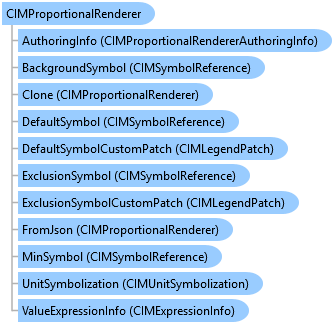
CIMProportionalRenderer Class
In This Topic
Represents a proportional renderer.
Object Model
Syntax
Public Class CIMProportionalRenderer
   Inherits CIMRenderer
   Implements System.ComponentModel.INotifyPropertyChanged, System.Xml.Serialization.IXmlSerializable
public class CIMProportionalRenderer : CIMRenderer, System.ComponentModel.INotifyPropertyChanged, System.Xml.Serialization.IXmlSerializable
Example
Create a Proportion Renderer with max and min symbol size capped
{
    string colorBrewerSchemesName = "ArcGIS Colors";
    //Get the style project item that contains the color ramps
    //Refer to the Initialize region for an example of how to get a style item
    //Note: Run within a QueuedTask
    //Creating a point symbol to be used as a template symbol for the proportional renderer
    CIMPointSymbol pointSym = SymbolFactory.Instance.ConstructPointSymbol(ColorFactory.Instance.GreenRGB, 1.0, SimpleMarkerStyle.Circle);
    CIMSymbolReference symbolPointTemplate = pointSym.MakeSymbolReference();

    //minimum symbol size is capped to 4 point while the maximum symbol size is set to 50 point
    //Creating a proportional renderer definition that uses the "Population" field
    ProportionalRendererDefinition prDef = new ProportionalRendererDefinition("POPULATION", symbolPointTemplate, 4, 50, true)
    {
        //setting upper and lower size stops to stop symbols growing or shrinking beyond those thresholds
        UpperSizeStop = 5000000,  //features with values >= 5,000,000 will be drawn with maximum symbol size
        LowerSizeStop = 50000    //features with values <= 50,000 will be drawn with minimum symbol size
    };
    // Create a proportional renderer using the definition
    CIMProportionalRenderer propRndr = featureLayer.CreateRenderer(prDef) as CIMProportionalRenderer;
    // Set the renderer to the feature layer
    featureLayer.SetRenderer(propRndr);
}
Create a True Proportion Renderer
{
    string colorBrewerSchemesName = "ArcGIS Colors";
    //Get the style project item that contains the color ramps
    //Refer to the Initialize region for an example of how to get a style item
    //Note: Run within a QueuedTask
    //Creating a point symbol to be used as a template symbol for the proportional renderer
    CIMPointSymbol pointSym = SymbolFactory.Instance.ConstructPointSymbol(ColorFactory.Instance.GreenRGB, 1.0, SimpleMarkerStyle.Circle);
    CIMSymbolReference symbolPointTemplate = pointSym.MakeSymbolReference();

    //Defining proportional renderer where size of symbol will be same as its value in field used in the renderer.
    ProportionalRendererDefinition prDef = new ProportionalRendererDefinition("POPULATION", esriUnits.esriMeters, symbolPointTemplate, SymbolShapes.Square, ValueRepresentations.Radius);
    //Create a Proportional renderer using the definition
    CIMProportionalRenderer propRndr = featureLayer.CreateRenderer(prDef) as CIMProportionalRenderer;
    // Set the renderer to the feature layer
    featureLayer.SetRenderer(propRndr);
}
Inheritance Hierarchy
System.Object
ArcGIS.Core.CIM.CIMObject
ArcGIS.Core.CIM.CIMRenderer
ArcGIS.Core.CIM.CIMProportionalRenderer
Requirements
Target Platforms: Windows 11 Home, Pro, Enterprise (64 bit)
ArcGIS Pro version: 3.0 or higher.
See Also