CIMVectorMarker Class
In This Topic
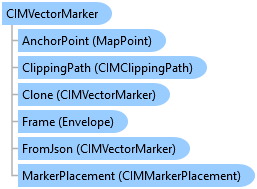
Represents a vector marker which can represent vector graphics. It's constructed from MarkerGraphics which are geometries and symbols used as building blocks for the marker.
Object Model
Syntax
Public Class CIMVectorMarker
   Inherits CIMMarker
   Implements System.ComponentModel.INotifyPropertyChanged, System.Xml.Serialization.IXmlSerializable
public class CIMVectorMarker : CIMMarker, System.ComponentModel.INotifyPropertyChanged, System.Xml.Serialization.IXmlSerializable
Example
Dash line with two markers - Method II
/// <summary> /// Create a line symbol with a dash and two markers. <br/> /// In this pattern of creating this symbol, a [CIMVectorMarker](https://pro.arcgis.com/en/pro-app/sdk/api-reference/#topic6176.html) object is created as a new [CIMSymbolLayer](https://pro.arcgis.com/en/pro-app/sdk/api-reference/#topic5503.html). /// The circle and square markers created by [ContructMarker](https://pro.arcgis.com/en/pro-app/sdk/api-reference/#topic12350.html) method is then assigned to the [MarkerGraphics](https://pro.arcgis.com/en/pro-app/sdk/api-reference/#topic6188.html) property of the CIMVectorMarker. /// When using this method, the CIMVectorMarker's [Frame](https://pro.arcgis.com/en/pro-app/sdk/api-reference/#topic6187.html) property needs to be set to the [CIMMarker](https://pro.arcgis.com/en/pro-app/sdk/api-reference/#topic3264.html) object's Frame. /// Similarly, the CIMVectorMarker's [Size](https://pro.arcgis.com/en/pro-app/sdk/api-reference/#topic3284.html) property needs to be set to the CIMMarker object's size. /// This line symbol comprises three symbol layers listed below: /// 1. A solid stroke that has dashes. /// 1. A circle marker. /// 1. A square marker. /// 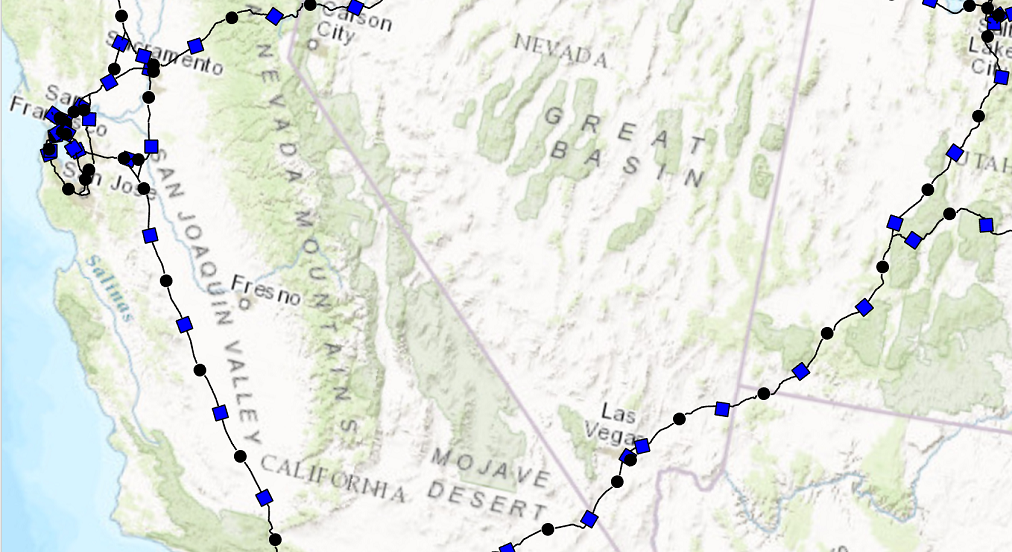 /// </summary> { // Create a line symbol with a dash and two markers. //default line symbol that will get modified. //Note: Run withing QueuedTask CIMLineSymbol dash2MarkersLine = new CIMLineSymbol(); //circle marker to be used in our line symbol as a layer var circleMarker = SymbolFactory.Instance.ConstructMarker(ColorFactory.Instance.BlackRGB, 5, SimpleMarkerStyle.Circle) as CIMVectorMarker; //circle marker to be used in our line symbol as a layer var squareMarker = SymbolFactory.Instance.ConstructMarker(ColorFactory.Instance.BlueRGB, 5, SimpleMarkerStyle.Square) as CIMVectorMarker; //Create the array of layers that make the new line symbol CIMSymbolLayer[] mySymbolLyrs = { new CIMSolidStroke() //dash line { Color = ColorFactory.Instance.BlackRGB, Enable = true, ColorLocked = true, CapStyle = LineCapStyle.Round, JoinStyle = LineJoinStyle.Round, LineStyle3D = Simple3DLineStyle.Strip, MiterLimit = 10, Width = 1, CloseCaps3D = false, Effects = new CIMGeometricEffect[] { new CIMGeometricEffectDashes() { CustomEndingOffset = 0, DashTemplate = new double[] {20, 10, 20, 10}, LineDashEnding = LineDashEnding.HalfPattern, OffsetAlongLine = 0, ControlPointEnding = LineDashEnding.NoConstraint }, new CIMGeometricEffectOffset() { Method = GeometricEffectOffsetMethod.Bevelled, Offset = 0, Option = GeometricEffectOffsetOption.Fast } } }, new CIMVectorMarker() //circle marker { MarkerGraphics = circleMarker.MarkerGraphics, Frame = circleMarker.Frame, //need to match the CIMVector marker's frame to the circleMarker's frame. Size = circleMarker.Size, //need to match the CIMVector marker's size to the circleMarker's size. MarkerPlacement = new CIMMarkerPlacementAlongLineSameSize() { AngleToLine = true, Offset = 0, Endings = PlacementEndings.Custom, OffsetAlongLine = 15, PlacementTemplate = new double[] {60}, } }, new CIMVectorMarker() //square marker { MarkerGraphics = squareMarker.MarkerGraphics, Frame = squareMarker.Frame, //need to match the CIMVector marker's frame to the squareMarker frame. Size = squareMarker.Size, //need to match the CIMVector marker's size to the squareMarker size. MarkerPlacement = new CIMMarkerPlacementAlongLineSameSize() { AngleToLine = true, Endings = PlacementEndings.Custom, OffsetAlongLine = 45, PlacementTemplate = new double[] {60}, } } }; dash2MarkersLine.SymbolLayers = mySymbolLyrs; }
Custom fill and outline
/// <summary> /// Creates a point symbol with custom fill and outline /// 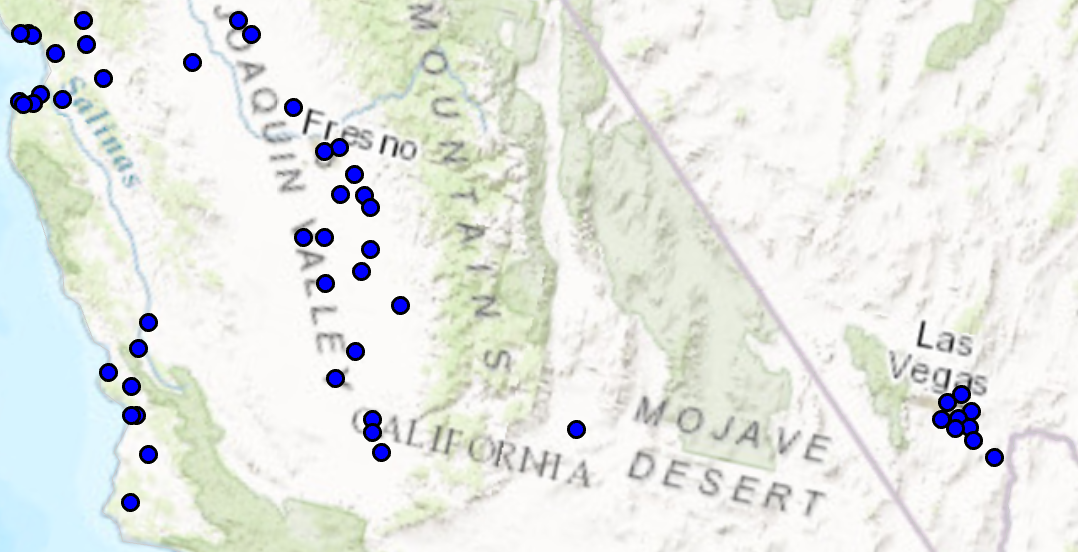 /// </summary> { //Note: Run withing QueuedTask var circlePtCustomFileOutlineSymbol = SymbolFactory.Instance.ConstructPointSymbol(ColorFactory.Instance.BlueRGB, 6, SimpleMarkerStyle.Circle); //Modifying this point symbol with the attributes we want. //getting the marker that is used to render the symbol var marker = circlePtCustomFileOutlineSymbol.SymbolLayers[0] as CIMVectorMarker; //Getting the polygon symbol layers components in the marker var polySymbol = marker.MarkerGraphics[0].Symbol as CIMPolygonSymbol; //modifying the polygon's outline and width per requirements polySymbol.SymbolLayers[0] = SymbolFactory.Instance.ConstructStroke(ColorFactory.Instance.BlackRGB, 2, SimpleLineStyle.Solid); //This is the outline polySymbol.SymbolLayers[1] = SymbolFactory.Instance.ConstructSolidFill(ColorFactory.Instance.GreenRGB); //This is the fill //To apply the symbol to a point feature layer //var renderer = pointLayer.GetRenderer() as CIMSimpleRenderer; //renderer.Symbol = circlePtCustomFileOutlineSymbol.MakeSymbolReference(); //pointLayer.SetRenderer(renderer); }
Inheritance Hierarchy
System.Object
ArcGIS.Core.CIM.CIMObject
ArcGIS.Core.CIM.CIMSymbolLayer
ArcGIS.Core.CIM.CIMMarker
ArcGIS.Core.CIM.CIMVectorMarker
Requirements
Target Platforms: Windows 11 Home, Pro, Enterprise (64 bit)
ArcGIS Pro version: 3.0 or higher.
See Also