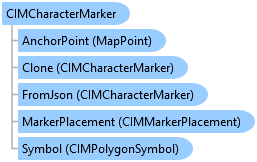
CIMCharacterMarker Class
In This Topic
Represents a character marker.
Object Model
Syntax
Public Class CIMCharacterMarker
   Inherits CIMMarker
   Implements System.ComponentModel.INotifyPropertyChanged, System.Xml.Serialization.IXmlSerializable
public class CIMCharacterMarker : CIMMarker, System.ComponentModel.INotifyPropertyChanged, System.Xml.Serialization.IXmlSerializable
Remarks
The shape of a marker is defined by a glyph in a font. The marker is drawn using the specified size and color. Each marker has a defined frame around the glyph that is considered when the size is applied. As a result, character markers of the same size may appear different sizes if the glyphs frames are different sizes.
Example
Modify a point symbol created from a character marker
{
    //create marker from the Font, char index,size,color
    //Note: Needs QueuedTask to run
    var cimMarker = SymbolFactory.Instance.ConstructMarker(125, "Wingdings 3", "Regular", 6, ColorFactory.Instance.BlueRGB) as CIMCharacterMarker;
    var polygonMarker = cimMarker.Symbol;
    //modifying the polygon's outline and fill
    //This is the outline
    polygonMarker.SymbolLayers[0] = SymbolFactory.Instance.ConstructStroke(ColorFactory.Instance.GreenRGB, 2, SimpleLineStyle.Solid);
    //This is the fill
    polygonMarker.SymbolLayers[1] = SymbolFactory.Instance.ConstructSolidFill(ColorFactory.Instance.BlueRGB);
    //create a symbol from the marker
    //Note this overload of ConstructPointSymbol does not need to be run within QueuedTask.Run.
    var pointSymbol = SymbolFactory.Instance.ConstructPointSymbol(cimMarker);
}
Inheritance Hierarchy
System.Object
ArcGIS.Core.CIM.CIMObject
ArcGIS.Core.CIM.CIMSymbolLayer
ArcGIS.Core.CIM.CIMMarker
ArcGIS.Core.CIM.CIMCharacterMarker
Requirements
Target Platforms: Windows 11 Home, Pro, Enterprise (64 bit)
ArcGIS Pro version: 3.0 or higher.
See Also