Access the help
ArcGIS Pro help is provided through an online help system and an offline help system. Context-sensitive help is provided on the user interface in the form of ScreenTips, messages, and pop-ups. The Help tab on the ribbon provides access to tools, learning resources, and contacts.
Open the help
You can open the help in a number of ways:
At the top of the application window, click the View Help button. This button is always available.

From anywhere in the application, press the F1 key.
In an open project, on the ribbon, click the Help tab. In the Help group, click Help
 and click Online Help to view the help in a web browser or Offline Help to open the help in a separate viewer.
Click the Project tab. On the Settings page, click the Help side tab.
On the start page, click the Learning Resources tab
 and click Help .
Open a web browser to https://doc.esri.com/en/arcgis-pro/latest/.
Set the help source
By default, ArcGIS Pro uses the online help system. If you work offline or in an internet-restricted environment, you can change the help source to the offline help system. As needed, you can switch the help source.
The offline help system is provided through the ArcGIS Documentation Center, a separate application that must be downloaded and installed.
Tip:
If you open the help system from the Help tab on the ribbon, you can open either help system, regardless of which one is set as the help source.
Open the ArcGIS Pro settings page in one of the following ways:
From an open project, click the Project tab on the ribbon.
From the start page, click the Settings tab
 .
.
In the settings list on the left, click Options.
On the Options dialog box, under Application, click General.
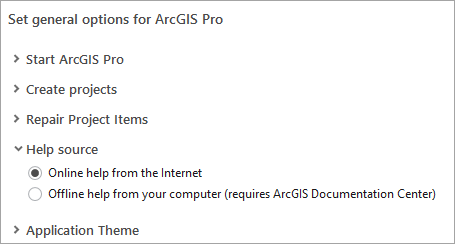
Under Set general options for ArcGIS Pro, expand Help source and click an option:
Online help from the Internet.
Offline help from your computer (requires ArcGIS Documentation Center).
Note:
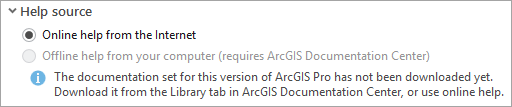
If the offline help system is not installed, the option to set it as the help source is not available.
Click OK.
The online and offline help
Topics in the online and offline help system are organized thematically by a series of horizontal tabs. Each tab has a table of contents with sections that you can expand and browse.
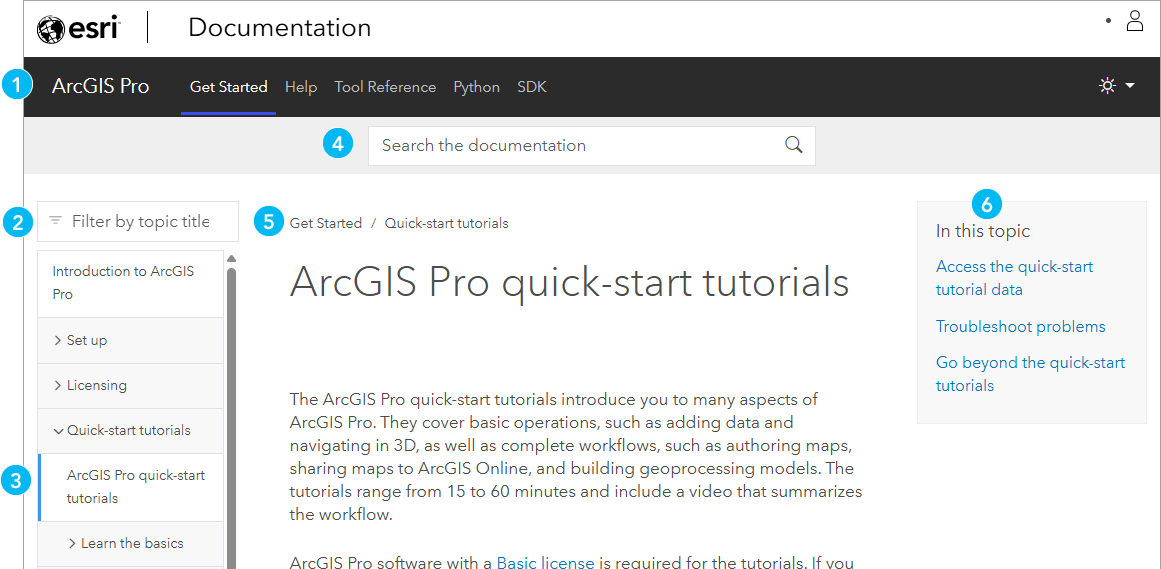
| Component | Description |
|---|---|
| 1 | Horizontal tabs divide help topics into thematic categories. Each tab has a table of contents. |
| 2 | Keywords can be used to filter topics on the current tab by their titles. |
| 3 | In the table of contents, topics may be nested in sections and subsections. |
| 4 | Search the contents of the ArcGIS Pro help. |
| 5 | Breadcrumbs track your position in the table of contents. |
| 6 | Click the links in the In this topic component to jump to sections of the topic. These links are URL bookmarks that allow you to share a link to a section. |
Differences between the online and offline help
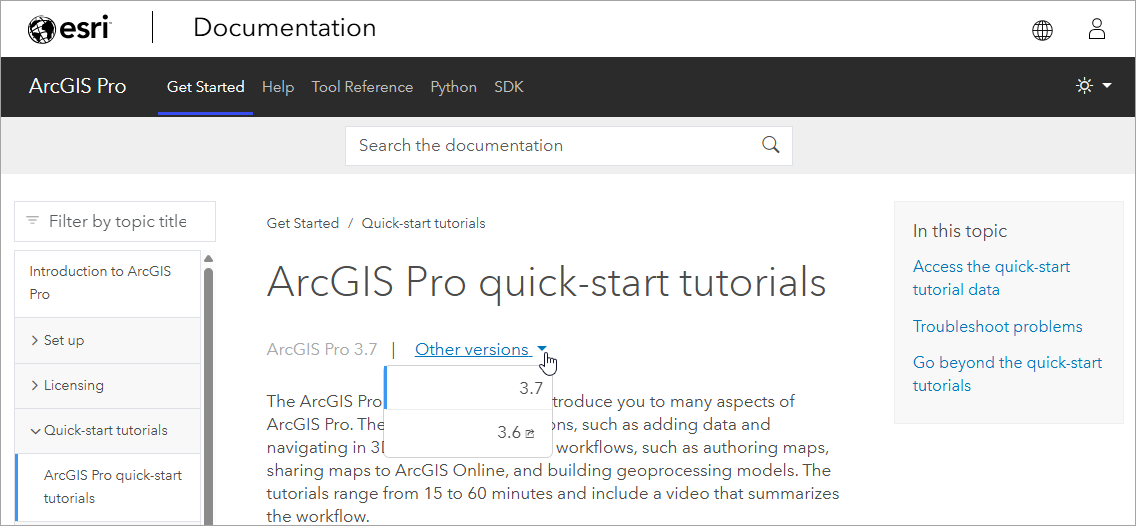
While the structure of the online and offline help is generally the same, you can switch between versions of the ArcGIS Pro online help by clicking the Other versions drop-down arrow. With the offline help, you need to open ArcGIS Documentation Center to open the help for a different version of ArcGIS Pro.
Non-English versions of the help
ArcGIS Pro help is available in French, German, Japanese, Russian, Simplified Chinese, and Spanish, in addition to English. To change the online help system language, click Switch Language  at the top or bottom of the page.

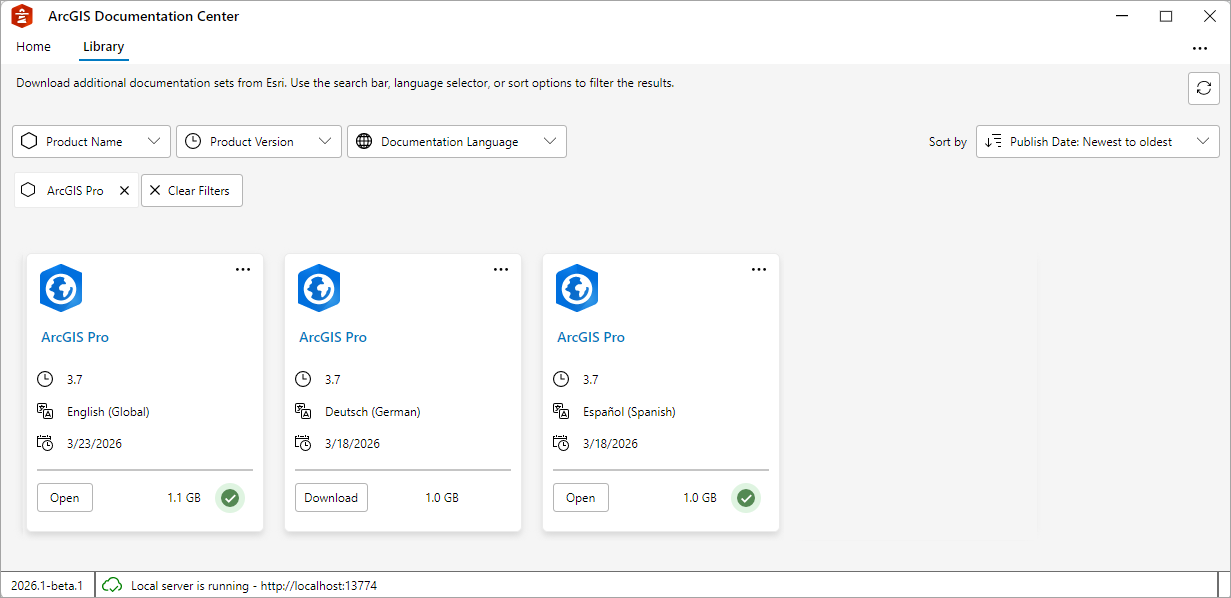
To obtain a non-English version of the offline help, you can download it in ArcGIS Documentation Center.
Note:
There is a delay between the publication of online help in English and translation to other supported languages. At each software release, new help topics are added. Non-English versions of these topics are unavailable at first. If you encounter a Page Not Found error for non-English help, you can use an online translation tool to translate the English help until the help for your language is available. Learn more about language options for the help system.