Wavelengths
In a telecom domain network, the wavelengths used to model and trace network features are modeled using a wavelength scheme. Wavelength schemes define a standardized set of optical wavelengths used to model and trace network features. Each wavelength scheme corresponds to a specific multiplexing standard, such as Coarse Wavelength Division Multiplexing (CWDM), and includes attributes specifying the name and length (nominal center wavelength) for each channel. Wavelengths are assigned to network features and can be used to support wavelength propagation and with condition barriers on path and circuit traces.
Assigning wavelengths to objects
Grouped objects share all attribute values, including network attributes. However, individual units within a grouped object can represent different wavelength assignments.
Two methods are supported for assigning wavelengths on a network feature: sequential and shared. A grouped object can use one method or the other, but not both. Shared assignment can also be used to assign wavelengths when working with ungrouped objects.
Sequential assignment
Sequential assignment assigns wavelength values to a contiguous range of units without gaps. The first wavelength name specified is applied to the first unit in the range, and each subsequent unit receives the next wavelength value from the wavelength scheme.
Sequential assignment uses the following syntax: [[firstUnit, lastUnit, firstWavelengthName], ...]. While the first unit can be arbitrary, no gaps are allowed within a unit range and each unit can only be assigned a single wavelength value.
For example, using a CWDM wavelength scheme where C55 corresponds to 1550nm, a grouped edge object with four units configured as [[1, 4, "C55"]] results in the following assignments:
Unit 1 is assigned C55
Unit 2 is assigned C57
Unit 3 is assigned C59
Unit 4 is assigned C61
![Example abbreviated bitset for wavelength values configured as [[1, 4, "C55"]].](images/UN_WavelengthValue_ex1.png)
Wavelengths can be skipped during assignment by defining multiple unit ranges in a single array, each starting with a different wavelength. When doing so, the following rules apply:
All units on the feature must be accounted for — no units can be skipped.
Wavelength IDs must be specified in increasing order as defined in the wavelength scheme.
For example, [[1, 2, "C27"], [3, 4, "C33"]] assigns C27 to Unit 1, C29 to Unit 2, C33 to Unit 3, and C35 to Unit 4, skipping wavelengths C31 while ensuring every unit on the feature is represented. Defining wavelengths as [[1, 2, "C33"], [3, 4, "C27"]] would be invalid because a later unit range specifies a lesser wavelength ID than an earlier range.
![Example abbreviated bitset for wavelength value configured as [[1, 2, "C27"], [3, 4, "C33"]].](images/UN_WavelengthValue_ex2.png)
Shared assignment
Shared assignment assigns the same wavelength value or values to every unit in the grouped object's unit range.
Shared assignment uses the following syntax to assign either a single wavelength name, range of wavelength names, or combination of the two to an object: [wavelengthName] or [firstWavelengthName - lastWavelengthName], [wavelengthName, firstWavelengthName - lastWavelengthName]
For example, you can assign various wavelengths to a grouped object with four units so that all share the same wavelength names as ["C27", "C52-C54"] as displayed in the image below where Unit 1 through 4 are all assigned C27 and C52-C54.
![Example abbreviated bitset for wavelength value configured as [["C27", "C52-C54"]].](images/UN_WavelengthValue_ex3.png)
Assign a wavelength attribute value
To add a wavelength value to network features, complete the following steps:
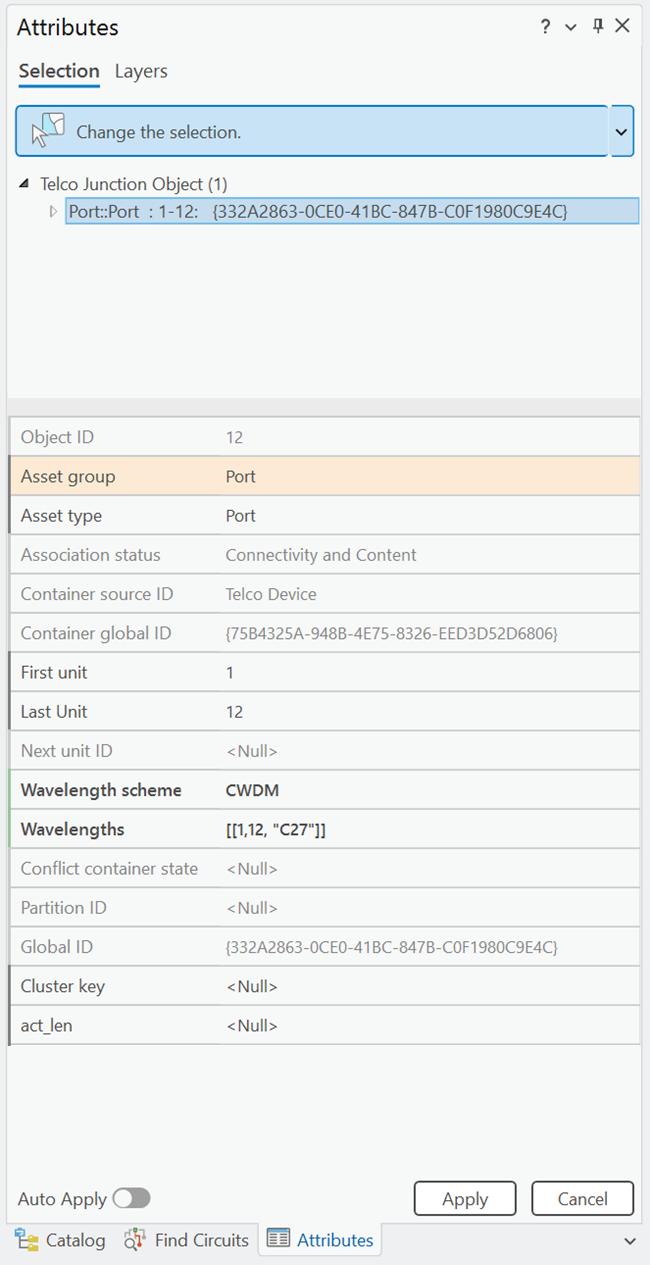
Select the feature or object and open the Attributes pane to view the attributes.
For the Wavelength scheme attribute, specify the wavelength scheme that applies to the feature.
For the Wavelengths attribute, specify the wavelength name values that apply to the feature.
Click Run.
The wavelength scheme and wavelengths are assigned to the network feature.