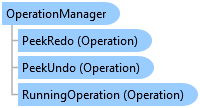
OperationManager Class
In This Topic
A collection of operations that users can undo and redo.
Object Model
Syntax
Remarks
In general, undo operations are organized per ArcGIS.Desktop.Framework.Contracts.Pane and ArcGIS.Desktop.Framework.Contracts.DockPane. In other words, each Pane and DockPane manages its own operation stack. For example, operations added to map A are not visible to map B. The active window (Pane or DockPane) becomes the active OperationManager. When a window becomes active, its OperationManager is requested and connected to the undo/redo user interface.
Panes and DockPanes may however elect to share OperationManagers. For example, two Panes that are showing the same map will have the same OperationManager.
Example
Undo/Redo Edit Operations
// Executes an edit operation and demonstrates how to undo the operation programmatically.
await QueuedTask.Run(() =>
{
  var editOp = new EditOperation
  {
    Name = "My Name"
  };
  if (!editOp.IsEmpty)
  {
    //Execute and ExecuteAsync will return true if the operation was successful and false if not
    var result = editOp.Execute();
    if (result == true)
    {
      // If the operation was successful, you can undo it
      editOp.UndoAsync();
    }
  }
});
Undo/Redo the Most Recent Operation
// Demonstrates how to undo and redo the most recent operation using the map's operation manager.
  //undo
  if (activeMap.OperationManager.CanUndo)
    activeMap.OperationManager?.UndoAsync();//await as needed

  //redo
  if (MapView.Active.Map.OperationManager.CanRedo)
    activeMap.OperationManager?.RedoAsync();//await as needed
}
Inheritance Hierarchy
System.Object
ArcGIS.Desktop.Framework.OperationManager
ArcGIS.Desktop.Framework.CompositeOperationManager
Requirements
Target Platforms: Windows 11 Home, Pro, Enterprise (64 bit)
ArcGIS Pro version: 3.0 or higher.
See Also