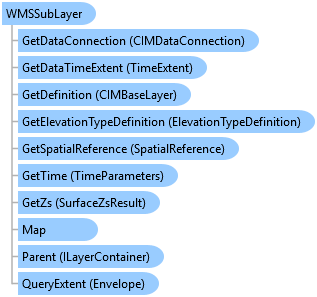
WMSSubLayer Class
In This Topic
Represents a WMS sublayer.
Object Model
Syntax
Public NotInheritable Class WMSSubLayer
   Inherits Layer
   Implements ArcGIS.Desktop.Core.IMetadataInfo, IMetadataSource, System.ComponentModel.INotifyPropertyChanged
public sealed class WMSSubLayer : Layer, ArcGIS.Desktop.Core.IMetadataInfo, IMetadataSource, System.ComponentModel.INotifyPropertyChanged
Example
Adding and changing styles for WMS Service Layer
{
    var serverConnection = new CIMInternetServerConnection { URL = "https://spritle.esri.com/arcgis/services/sanfrancisco_sld/MapServer/WMSServer" };
    var connection = new CIMWMSServiceConnection { ServerConnection = serverConnection };
    LayerCreationParams parameters = new LayerCreationParams(connection);
    parameters.MapMemberPosition = MapMemberPosition.AddToBottom;
    //Note: Needs QueuedTask to run
    var compositeLyr = LayerFactory.Instance.CreateLayer<WMSLayer>(parameters, MapView.Active.Map);
    //wms layer in ArcGIS Pro always has a composite layer inside it
    var wmsLayers = compositeLyr.Layers[0] as ServiceCompositeSubLayer;
    //each wms sublayer belongs in that composite layer
    var highwayLayerWMSSub = wmsLayers.Layers[1] as WMSSubLayer;
    //toggling a sublayer's visibility
    if ((highwayLayerWMSSub != null))
    {
        bool visibility = highwayLayerWMSSub.IsVisible;
        highwayLayerWMSSub.SetVisibility(!visibility);
    }
    //applying an existing style to a wms sub layer
    var pizzaLayerWMSSub = wmsLayers.Layers[0] as WMSSubLayer;
    var currentStyles = pizzaLayerWMSSub.GetStyleNames();
    pizzaLayerWMSSub.SetStyleName(currentStyles[1]);
}
Inheritance Hierarchy
System.Object
ArcGIS.Desktop.Framework.Contracts.PropertyChangedBase
ArcGIS.Desktop.Mapping.MapMember
ArcGIS.Desktop.Mapping.Layer
ArcGIS.Desktop.Mapping.WMSSubLayer
Requirements
Target Platforms: Windows 11 Home, Pro, Enterprise (64 bit)
ArcGIS Pro version: 3.0 or higher.
See Also