PointCloudSceneLayer Class
In This Topic
Point cloud scene layers allow for fast display and consumption of large volumes of
point cloud data.
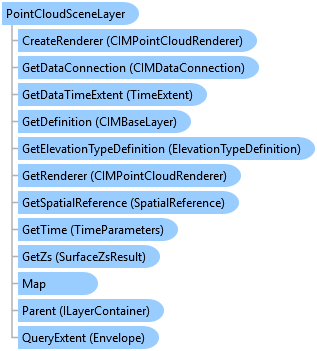
Object Model
Syntax
Public NotInheritable Class PointCloudSceneLayer
   Inherits Layer
   Implements ArcGIS.Desktop.Core.IMetadataInfo, IMetadataSource, System.ComponentModel.INotifyPropertyChanged
public sealed class PointCloudSceneLayer : Layer, ArcGIS.Desktop.Core.IMetadataInfo, IMetadataSource, System.ComponentModel.INotifyPropertyChanged
Remarks
The primary source of point cloud data is usually LAS and lidar data.
Lidar surveys for terrain, buildings, forest canopy, roads, bridges, overpasses,
and more can make up the point cloud data used for a point cloud scene layer.
Example
Name of PointCloudSceneLayer
{
  var scenelayerName = pointCloudSceneLayer?.Name;
}
Edit Color Modulation
{
  // Note: call within QueuedTask.Run()
  {
    var def = pointCloudSceneLayer.GetDefinition() as CIMPointCloudLayer;
    //Get the ColorModulation off the renderer
    var modulation = def.Renderer.ColorModulation;
    if (modulation == null)
      modulation = new CIMColorModulationInfo();
    //Set the minimum and maximum intensity as needed
    modulation.MinValue = 0;
    modulation.MaxValue = 100.0;
    //apply back
    def.Renderer.ColorModulation = modulation;
    //Commit changes back to the CIM
    pointCloudSceneLayer.SetDefinition(def);
  }
}
Edit The Renderer to use Fixed Size
{
  // Note: call within QueuedTask.Run()
  {
    var def = pointCloudSceneLayer.GetDefinition() as CIMPointCloudLayer;

    //Set the point shape and sizing on the renderer
    def.Renderer.PointShape = PointCloudShapeType.DiskShaded;
    var pointSize = new CIMPointCloudFixedSizeAlgorithm()
    {
      UseRealWorldSymbolSizes = false,
      Size = 8
    };
    def.Renderer.PointSizeAlgorithm = pointSize;
    //Commit changes back to the CIM
    pointCloudSceneLayer.SetDefinition(def);
  }
}
Edit the Renderer to Scale Size
{
  // Note: call within QueuedTask.Run()
  {
    var def = pointCloudSceneLayer.GetDefinition() as CIMPointCloudLayer;

    //Set the point shape and sizing on the renderer
    def.Renderer.PointShape = PointCloudShapeType.DiskFlat;//default
    var scaleSize = new CIMPointCloudSplatAlgorithm()
    {
      MinSize = 8,
      ScaleFactor = 1.0 //100%
    };
    def.Renderer.PointSizeAlgorithm = scaleSize;
    //Commit changes back to the CIM
    pointCloudSceneLayer.SetDefinition(def);
  }
}
Edit Density settings
{
  // Note: call within QueuedTask.Run()
  {
    var def = pointCloudSceneLayer.GetDefinition() as CIMPointCloudLayer;
    //PointsBudget - corresponds to Display Limit on the UI
    // - the absolute maximum # of points to display
    def.PointsBudget = 1000000;

    //PointsPerInch - corresponds to Density Min --- Max on the UI
    // - the max number of points per display inch to renderer
    def.PointsPerInch = 15;
    //Commit changes back to the CIM
    pointCloudSceneLayer.SetDefinition(def);
  }
}
Inheritance Hierarchy
System.Object
ArcGIS.Desktop.Framework.Contracts.PropertyChangedBase
ArcGIS.Desktop.Mapping.MapMember
ArcGIS.Desktop.Mapping.Layer
ArcGIS.Desktop.Mapping.PointCloudSceneLayer
Requirements
Target Platforms: Windows 11 Home, Pro, Enterprise (64 bit)
ArcGIS Pro version: 3.0 or higher.
See Also