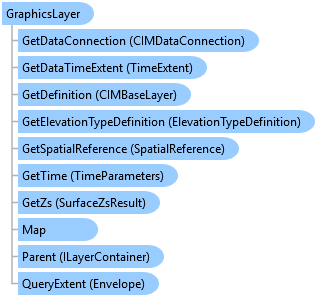
GraphicsLayer Class
In This Topic
Graphics layers are layers that act as containers for graphics elements
that can be added to a map.
Object Model
Syntax
Public NotInheritable Class GraphicsLayer
   Inherits Layer
   Implements ArcGIS.Desktop.Core.IMetadataInfo, IElementContainer, IMetadataSource, System.ComponentModel.INotifyPropertyChanged
public sealed class GraphicsLayer : Layer, ArcGIS.Desktop.Core.IMetadataInfo, IElementContainer, IMetadataSource, System.ComponentModel.INotifyPropertyChanged
Example
Accessing GraphicsLayer
{
  if (map.MapType != MapType.Map)
  {
    // not 2D - could be a scene - no graphics layers
  }

  //get the first graphics layer in the map's collection of graphics layers
  graphicsLayer = map.GetLayersAsFlattenedList().OfType<GraphicsLayer>().FirstOrDefault();
  if (graphicsLayer != null)
  {
    //TODO...use the graphics layer
  }
  //Or, Get and set the graphic layer that acts as the target for interactive drawing tools.
  targetGraphicsLayer = map.TargetGraphicsLayer; // get the target graphics layer
  map.TargetGraphicsLayer = graphicsLayer; // set the target graphics layer
}
Remove Graphic elements
{
  // Note: must be called on the QueuedTask
  {
    graphicsLayer.RemoveElements(graphicsLayer.GetSelectedElements());
  }
}
Inheritance Hierarchy
System.Object
ArcGIS.Desktop.Framework.Contracts.PropertyChangedBase
ArcGIS.Desktop.Mapping.MapMember
ArcGIS.Desktop.Mapping.Layer
ArcGIS.Desktop.Mapping.GraphicsLayer
Requirements
Target Platforms: Windows 11 Home, Pro, Enterprise (64 bit)
ArcGIS Pro version: 3.0 or higher.
See Also