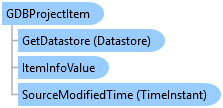
GDBProjectItem Class
In This Topic
Represents a database project item.
Object Model
Syntax
Public NotInheritable Class GDBProjectItem
   Inherits ArcGIS.Desktop.Internal.Catalog.ProjectItemInfoCrawl
   Implements ArcGIS.Desktop.Core.IMetadata, ArcGIS.Desktop.Core.IProjectItem, System.ComponentModel.INotifyPropertyChanged
public sealed class GDBProjectItem : ArcGIS.Desktop.Internal.Catalog.ProjectItemInfoCrawl, ArcGIS.Desktop.Core.IMetadata, ArcGIS.Desktop.Core.IProjectItem, System.ComponentModel.INotifyPropertyChanged
Remarks
A database project item is a file geodatabase, enterprise geodatabase, SQLite database, or a geopackage that has been added to the current project.
Example
Add GDBProjectItem to Project as IProjectItem
{
  // Add a file geodatabase or a SQLite or enterprise database connection to a project
  Item gdbToAdd = folderToAdd.GetItems().FirstOrDefault(folderItem => folderItem.Name.Equals("CountyData.gdb"));
  // Note: Needs QueuedTask to run
  var addedGeodatabase = Project.Current.AddItem(gdbToAdd as IProjectItem);
  // use addedGeodatabase;
}
Get all GDBProjectItems
{
  IEnumerable<GDBProjectItem> newGDBItemsContainer = null;
  newGDBItemsContainer = Project.Current.GetItems<GDBProjectItem>();
  foreach (var GDBItem in newGDBItemsContainer)
  {
    //Do Something with the GDB.
  }
}
Get a specific GDBProjectItem
{
  GDBProjectItem gdbProjItem = Project.Current.GetItems<GDBProjectItem>().FirstOrDefault(item => item.Name.Equals("myGDB"));
  // Use gdbProjItem;
}
Obtaining Geodatabase from Project Item
{
  await QueuedTask.Run(() =>
  {
    IEnumerable<GDBProjectItem> gdbProjectItems = Project.Current.GetItems<GDBProjectItem>();

    foreach (GDBProjectItem gdbProjectItem in gdbProjectItems)
    {
      using (Datastore datastore = gdbProjectItem.GetDatastore())
      {
        //Unsupported datastores (non File GDB and non Enterprise GDB) will be of type UnknownDatastore
        if (datastore is UnknownDatastore)
          continue;

        Geodatabase geodatabase = datastore as Geodatabase;
        // Use the geodatabase.
      }
    }
  });
}
Inheritance Hierarchy
System.Object
ArcGIS.Desktop.Framework.Contracts.PropertyChangedBase
ArcGIS.Desktop.Core.Item
ArcGIS.Desktop.Catalog.GDBProjectItem
Requirements
Target Platforms: Windows 11 Home, Pro, Enterprise (64 bit)
ArcGIS Pro version: 3.0 or higher.
See Also