Sort (Data Management Tools)
Summary
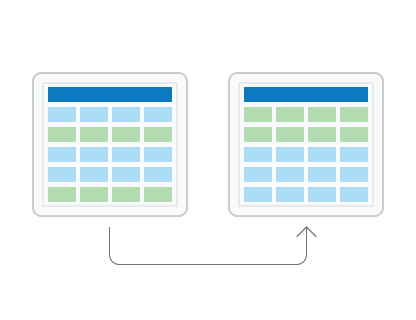
Reorders records in a feature class or table, in ascending or descending order, based on one or multiple fields. The reordered result is written to a new dataset.
Illustration
Usage
Feature classes can be spatially reordered, or sorted. The
Shapefield must be used as the sort field for spatial sorting. There are a number of spatial sort methods that arrange the features differently based on their location.If input records are selected, only the subset of selected records are sorted and written to the output.
If more than one field is set as a sort field, rows are first sorted by the first field and within that order, sorted by the second field, and so on.
Polygon features can be sorted by their area using the
Shape_Areafield of a geodatabase feature class. Similarly, polyline features can be sorted by their length using theShape_Lengthfield. To sort polygon features in a shapefile, add a new field, calculate the area into the new field using Calculate Field, and run Sort using the new field.License:
For the Field(s) parameter, sorting by the
Shapefield or by multiple fields is only available with an ArcGIS Pro Advanced license. Sorting by a single attribute field (excludingShape) is available at all license levels.To transfer the input dataset's subtypes, domains, and other advanced geodatabase field properties to the output dataset, use the Transfer Geodatabase Attribute Properties environment.
To copy the input dataset's geodatabase attachments to the output dataset, use the Maintain Attachments environment.
Parameters
| Label | Explanation | Data type |
|---|---|---|
|
Input Dataset |
The input dataset with the records that will be reordered based on the field values in the sort field or fields. |
Table View |
|
Output Dataset |
The output feature class or table. |
Feature Class; Table |
|
Field(s) |
The field or fields whose values will be used to reorder the input records and the direction the records will be sorted. License:Sorting by the Value table columns:
|
Value Table |
|
Spatial Sort Method (Optional) |
Specifies how features will be spatially sorted. The sort method is only enabled when the
|
String |
Environments
Current Workspace, Scratch Workspace, Output Coordinate System, Geographic Transformations, Extent, XY Resolution, XY Tolerance, Output has M values, M Resolution, M Tolerance, Output has Z values, Default Output Z Value, Z Resolution, Z Tolerance, Maintain fully qualified field names, Output XY Domain, Output M Domain, Output Z Domain, Maintain Attachments, Transfer Geodatabase Field Properties, Preserve Global IDs
Licensing information
- Basic: Limited
With ArcGIS Pro Basic and ArcGIS Pro Standard, you will only be allowed to sort on one attribute field. To sort on the geometry field or multiple fields, you need ArcGIS Pro Advanced. - Standard: Limited
With ArcGIS Pro Basic and ArcGIS Pro Standard, you will only be allowed to sort on one attribute field. To sort on the geometry field or multiple fields, you need ArcGIS Pro Advanced. - Advanced: Yes